0
Table of Contents
Examples of good product design
An exceptional design goes beyond mere aesthetics; it encapsulates functionality, user-friendliness, and an outstanding user experience.
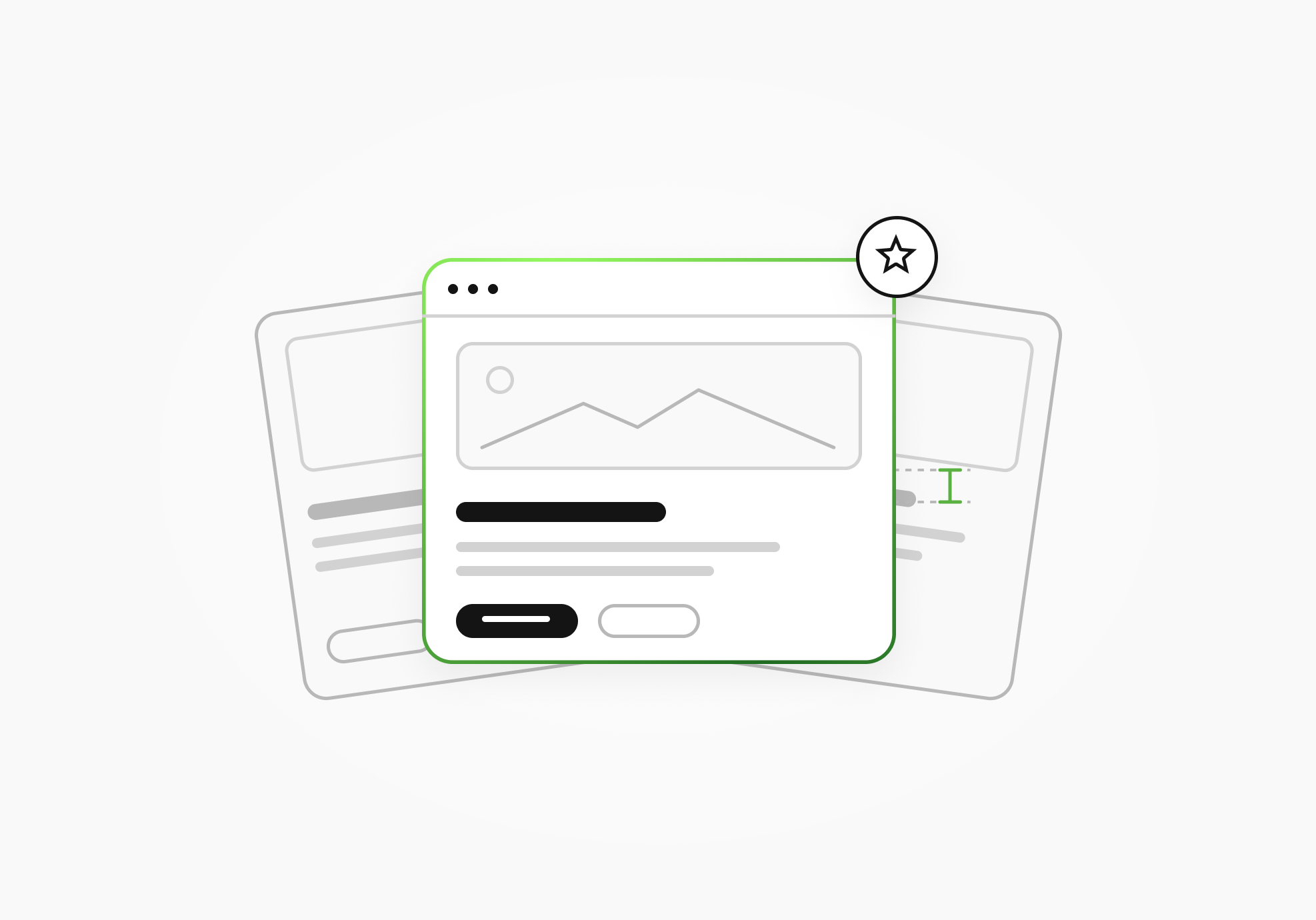
A useful way to judge product design is to follow one task. Can someone find the right control, understand what will happen, and finish what they came to do? Interesting details tend to appear along the way: a table filter, a chart heading, or a clear signal that an action isn't available.
These product design examples look at those details. We'll keep the focus on digital products and the websites that help people understand them, using five Merge projects alongside decisions documented by Linear, Fitbit, Notion, and Stripe. Each example will give you something specific to examine in your own product.
We selected the main examples from Merge’s published case studies and the products’ own documentation to examine specific design decisions.
Our analysis also focuses on interface choices and their possible uses and doesn't report independent usability tests or measured business outcomes.
If you need the broader definition first, our guide to what product design involves is for that.
| Example | Where the work happened | Decision to examine |
|---|---|---|
| TelQ | SMS testing platform | Organizing test creation, tables, and Admin controls |
| WeFight | Website and articles | Connecting information, quizzes, and navigation |
| Alta | Investment company's website | Structuring a complex offer |
| LiveSchool | Marketing website | Explaining the product through responsive layouts and motion |
| RelayPay | Website and web application | Pairing unfamiliar payment tasks with explanation |
| Linear workspace | Product interface | Keeping navigation and view controls consistent |
| Fitbit | Data visualization | Giving a chart a written takeaway |
| Notion | Workspace setup | Offering optional templates based on onboarding answers |
| Linear drag-and-drop | Interaction feedback | Showing that a particular drop is unavailable |
| Stripe | Payment Element | Organizing the payment methods relevant to a checkout |

Want to have an efficient, business-oriented design?
View a recorded webinar with Pavel Tseluyko on how design adds value to your business.
Watch nowKey elements of good product design
User-friendliness
User-friendliness shows up when someone can work out what to do without having to decode the interface first. Labels, the placement of controls, and feedback after an action all contribute.
Consider the familiar query field in Google Search. It gives users a recognizable place to start, like entering a question or phrase. That's a narrow example of a clear starting action, rather than a verdict on the whole search experience.
For your own interface, follow that first action into the next screen. Check whether the labels still make sense, whether navigation stays recognizable, and whether users can tell that their action registered. A design system can help your team maintain shared labels, controls, and feedback patterns as the product grows. A clear entrance is helpful, and the rest of the task also needs the same attention.
Functionality
Functionality concerns the job the product lets someone accomplish. In a file-sharing tool, that includes what the recipient can do with a file once it arrives.
Dropbox distinguishes editing from view-only access. A person sharing a file can choose the permission appropriate to the collaboration. View-only access still allows viewing and downloading, so the wording matters: it shouldn't leave the sender assuming that downloading has been prevented.
A feature needs understandable controls around its consequences. Check whether additional features support the core task or simply add decisions along the way. Performance testing and checks of the underlying system also belong here; an understandable sharing dialog is of little help if the file never becomes available.
Aesthetic appeal
Visual decisions communicate identity and help people read an interface. Type size, spacing, color, and contrast can show which information belongs together and where to look next.
For a brief physical-design comparison, Bang & Olufsen's account of the Beosound A9 describes its circular form and use of materials including wood, aluminum, and fabric. Shape and material are part of how that product occupies a room. In software, typography, layout, and motion give you a different set of tools.
Judge those choices in context. A restrained palette may suit one brand; a more expressive one may suit another. In either case, people still need to read the text, distinguish controls, and understand the screen.
Great user experience
User experience includes how these decisions fit together over a task, and across later visits. A feature may be understandable in isolation while still being awkward to find when you need it.
Spotify Mixes offer a concrete personalization example: mixes organized around artists, moods, genres, and decades. Those categories give a listener several ways to choose music, depending on what they have in mind.
The design question is how well those choices fit someone's situation. Observe people using the product, ask where their expectations differ from the interface, and iterate on what you learn. Claims about loyalty or retention need their own evidence.
Case studies: examples of good product design from Merge
The following projects include product interfaces, marketing websites, and work spanning both. Their scope matters, because a website can explain a product and support the decision to try it, while the application has to support the work that follows. These are examples from our own portfolio, with that distinction kept visible.
TelQ: make a repeated task easier to navigate
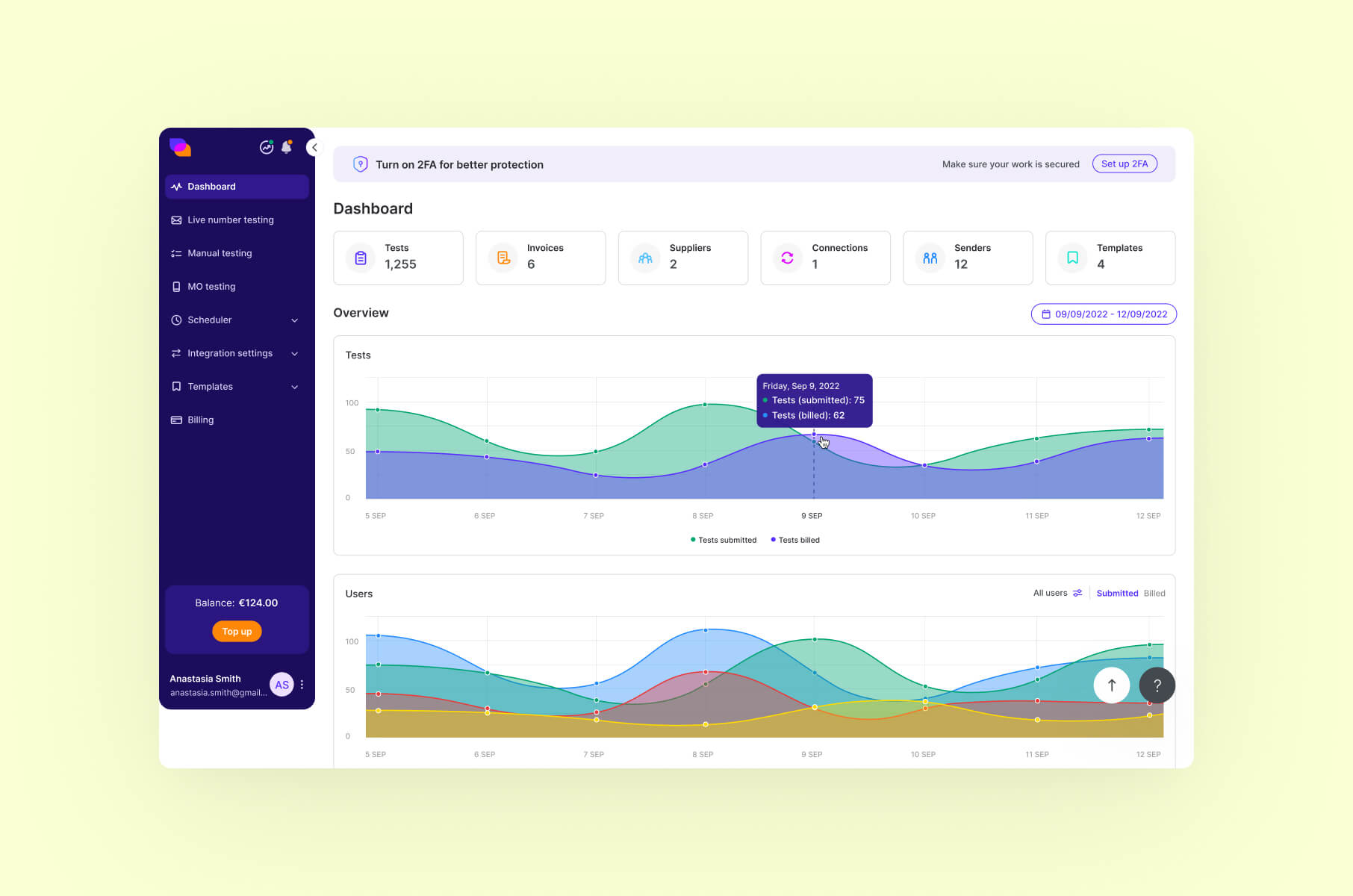
TelQ provides an SMS testing platform. In our TelQ case study, user feedback informed work on creating tests and using data tables with filters. The project also included an optimized menu and distinct work on the Admin interface.
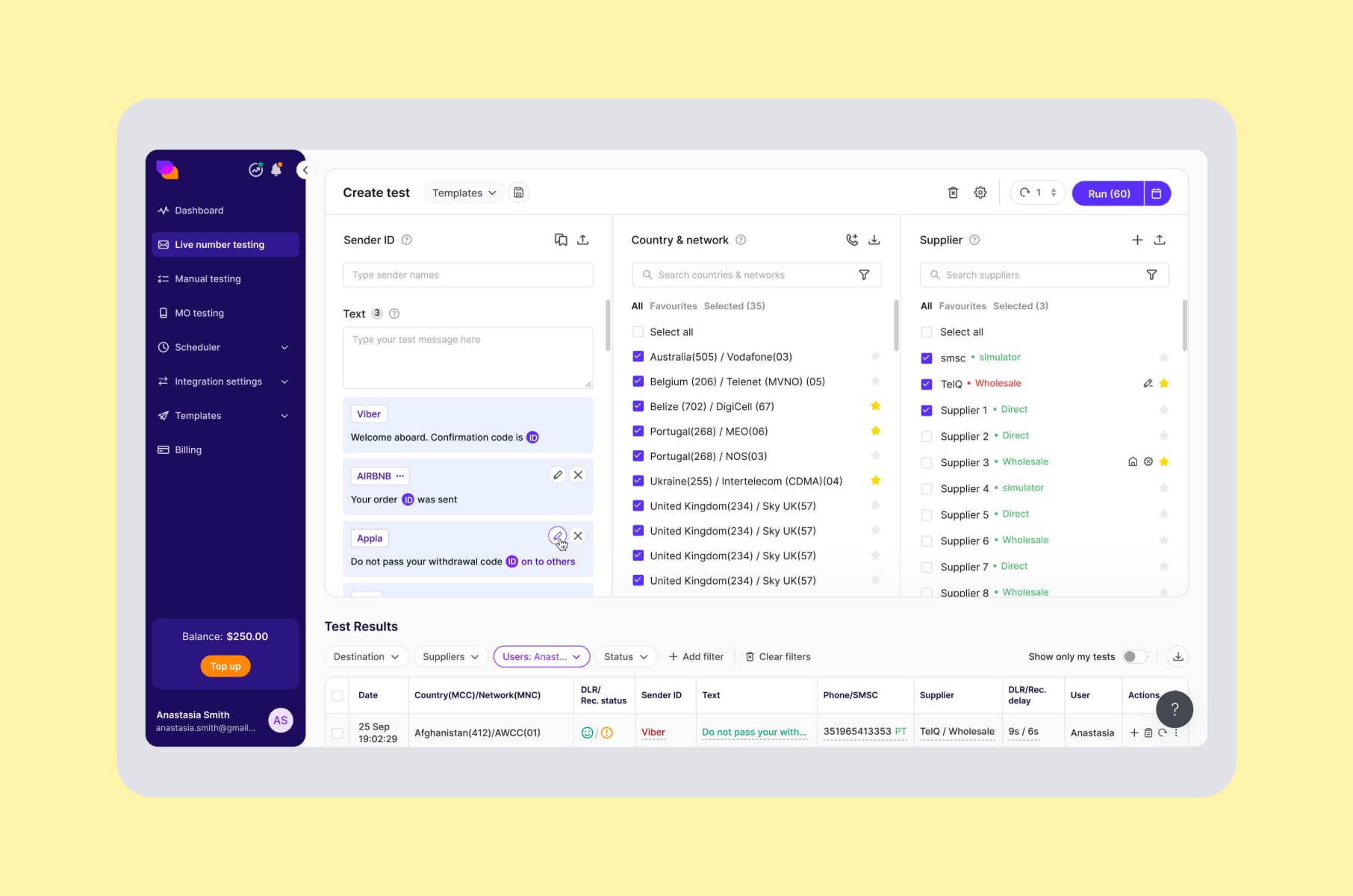
Someone creating tests needs to find the relevant action and then work with the resulting information. Administrative work can involve a different set of controls that also needs deliberate organization.
If you're reviewing a data-heavy product, trace that sequence with a real task. Look at where someone begins, how they narrow the table, and which controls they need next.
WeFight: connect article structure with the next step
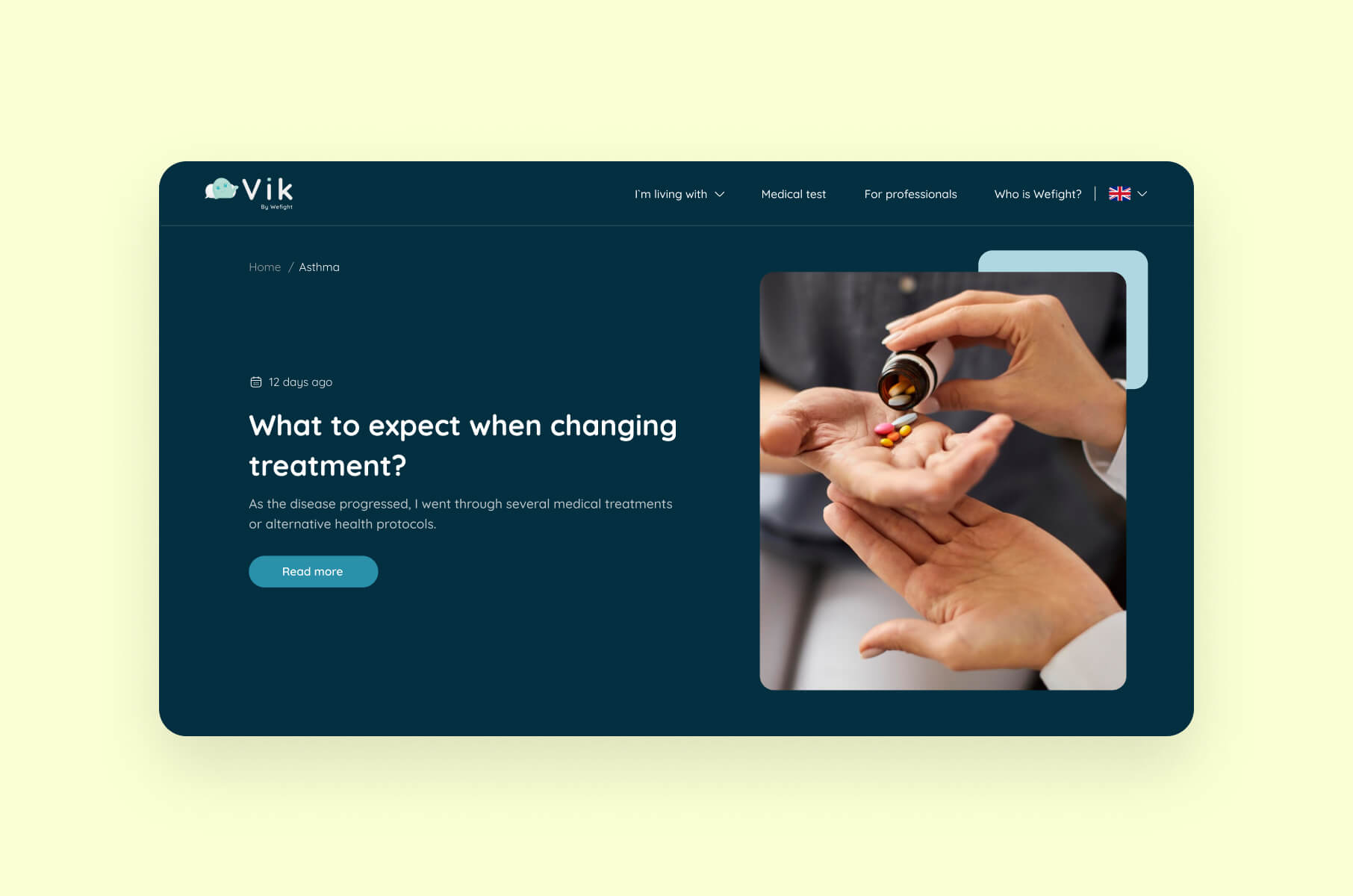
The WeFight project involved a partial website redesign, including article layouts, navigation, and disease-related quizzes aimed at different user groups. The scope here is the website experience around its healthtech offering.
An article page asks its reader to do several things: locate relevant information, understand it, and decide whether a suggested next step applies. Layout and navigation shape that sequence. A quiz introduces another interaction, which needs a clear relationship to the content around it.
For your own content-led experience, check whether readers can explain why that interaction is there and what happens afterward. The quiz's presence alone tells us nothing about its medical effectiveness or a conversion increase; neither outcome is established by this case.
Alta: explain a complex offer through information design
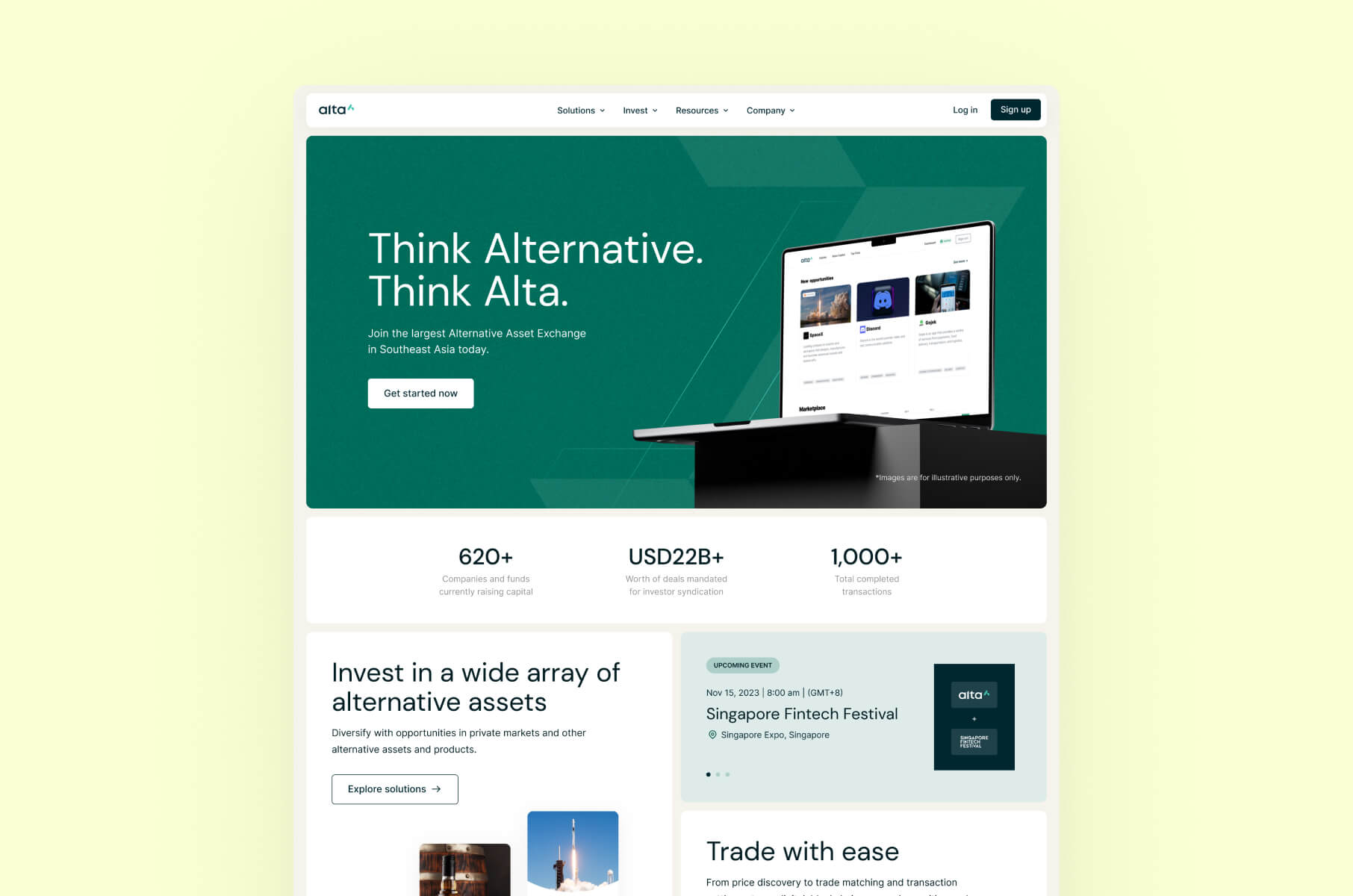
Alta's case study describes website work for an alternative-investment company. Merge began with a UX audit, developed the information architecture and visuals, and built the website in Webflow. The stated intention behind the visuals was to help explain complex concepts.
Before choosing a visual treatment for an unfamiliar offer, work out what visitors need to understand and which questions depend on earlier answers.
You can test the explanation by asking a reader to describe the offer in their own words. Use that response to identify terms or relationships that need a clearer explanation. Webflow identifies the delivery platform, while the information structure remains a separate design decision.
LiveSchool: show how the product works on its website
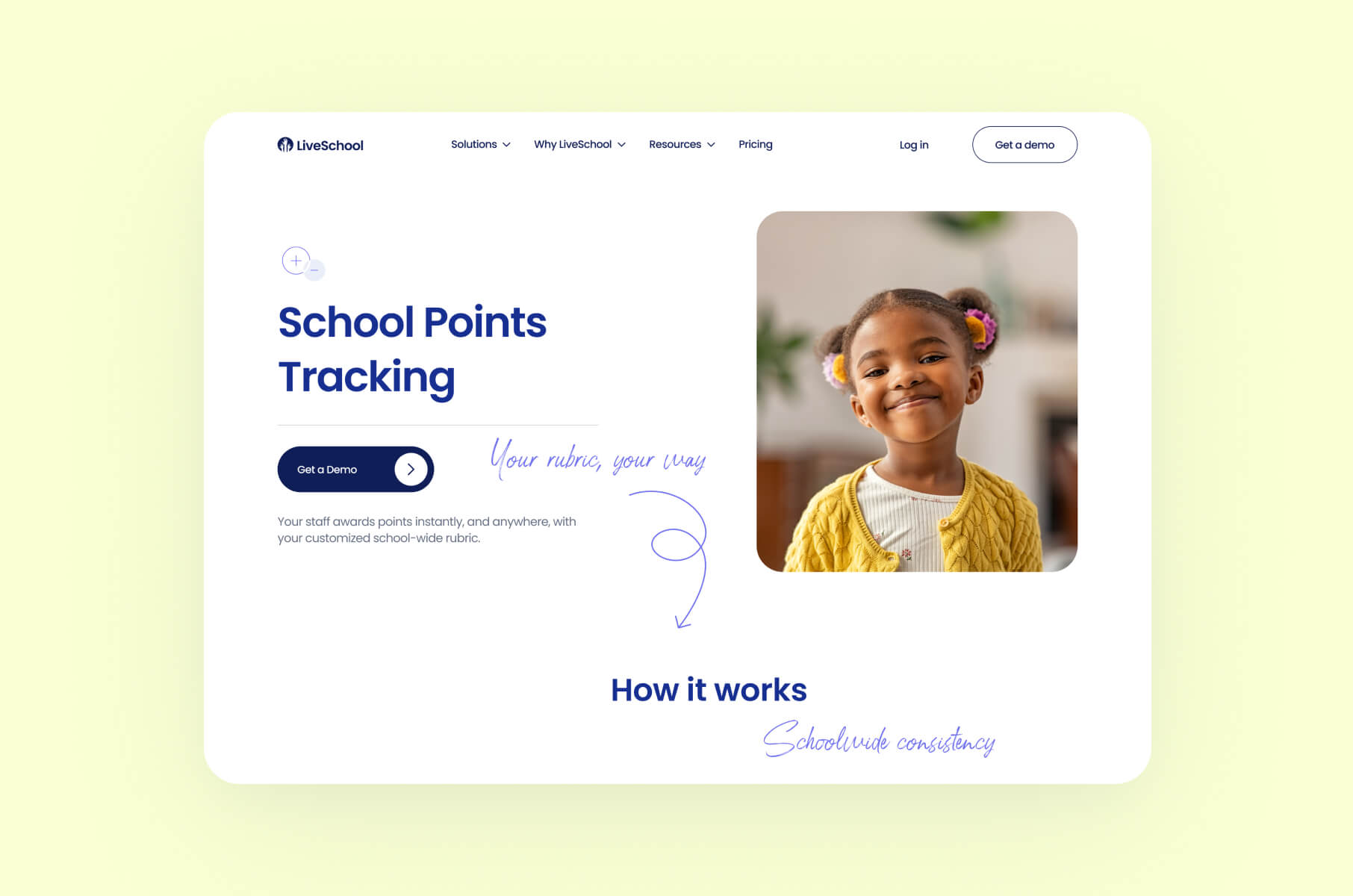
LiveSchool's Merge project covered its marketing website. The work included research, a visual concept, responsive design, and motion. It should be evaluated as a website project, with no implication that Merge redesigned the management application itself.
When explaining software on a website, a sequence can help show how parts of an interaction relate. Check what a visitor understands after seeing it.
For a similar page, review the explanation at different screen sizes and with motion unavailable or reduced. The text and layout should still communicate the point. These are checks we'd recommend when applying the idea, not accessibility test results claimed for LiveSchool.
RelayPay: support unfamiliar payment tasks with explanation
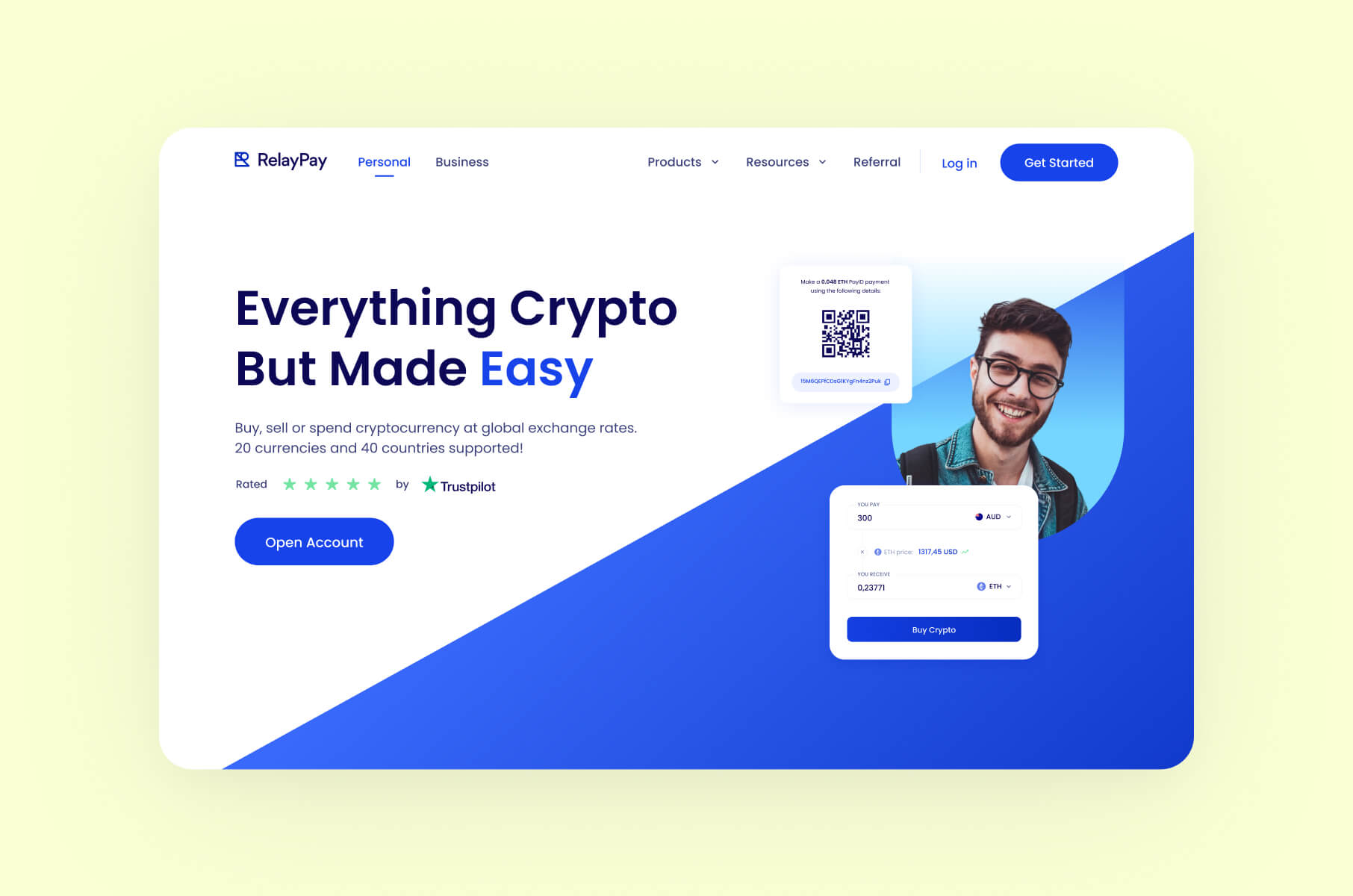
The RelayPay case includes website and web-application work for a crypto-payment business. It describes a simpler interface, educational features, and attention to consistency across web and mobile experiences.
For an unfamiliar payment task, consider what the user needs to understand at each step and how much explanation belongs beside the controls.
If you're applying that principle, identify the terms or decisions users actually struggle with before adding more guidance. Too much explanation can make a routine task cumbersome for an experienced user.
More digital product design examples to learn from
Linear: keep navigation consistent across views
In its March 12, 2026 UI refresh, Linear described standardizing headers, navigation, and view controls across areas including projects, issues, reviews, and documents. It also made the sidebar less visually prominent.
For someone moving between those areas, consistent placement can provide a familiar place to look for the next control. The quieter sidebar changes the visual relationship between navigation and the working area.
If your product has several views, compare the controls that serve the same purpose in each one. Consistency is useful when the purpose really is shared. A specialist task may still need different controls, so check the task before making every screen match.
Fitbit: give charts a readable takeaway
In Google Design's account of work on Fitbit, the team describes adding chart headers so that text helps convey the takeaway alongside the visualization.
Compare a heading that names the metric with one that explains the observation. A metric label tells readers what is being measured; a takeaway explains what to notice in the values shown. Check that the takeaway matches the plotted values, time period, and units, and avoid turning an observed change into a claim about its cause. Keep the underlying detail available for inspection. This is an interface lesson from the team’s account, with no claim about clinical outcomes or independent testing.
Notion: offer a relevant starting point
Notion's template documentation describes starter templates offered in the sidebar based on answers given during onboarding. Users can choose templates, add them to their workspace, and adapt or remove them.
That creates a way to begin with an example related to the user's stated needs. Someone can inspect an existing structure and decide which parts belong in their own work.
Consider how much setup a suggested template creates, whether users understand what they are adding, and how easily they can change course.
Linear: signal an unavailable action before the drop
Linear's October 16, 2025 changelog includes a disabled drop indicator when an issue is dragged toward another team's labels. The item appears in the general improvements list; the page's mobile-redesign title doesn't establish that this particular change is mobile-only.
According to the release note, the earlier behavior allowed the drop and then showed an error; the updated behavior signals the restriction during the drag. When evaluating this pattern, check whether users can recognize an unavailable destination before releasing the item and understand what they can do next. A disabled indicator may need an explanation of the restriction.
Stripe: organize payment choices around the checkout
Stripe's payment-method documentation describes selecting relevant methods using context such as location, currency, and amount, hiding unsupported methods, and ordering the available choices. The Payment Element also provides layout options including tabs and an accordion.
The design question is how to make the available choices understandable within the space the checkout provides. Relevance, ordering, and layout each affect what a customer sees first and what they need to expand.
For your checkout, inspect the methods your customers can actually use, then check whether their preferred option is easy to find. An additional-options control also needs to be noticeable. The documentation supplies configuration choices; it doesn't establish a universally best order or guarantee a conversion increase.
Importance of user experience in product design
User-centered design for creating successful products
User-centered design starts with understanding the people using the product, their goals, and the conditions in which they work. Research, prototypes, usability testing, and iteration give a team ways to examine those assumptions. Our product design process guide covers that work in more detail.
Airbnb offers a concrete information-design example: house rules appear in the listing and booking terms. A traveler can review conditions relevant to the stay before committing to a booking.
For your own flow, identify the information someone needs before making a decision. Then check whether they find it at that point and understand its consequences.
How good user experience enhances user satisfaction
Satisfaction depends partly on whether the experience fits a person's expectations. Those expectations can differ, even when people are completing the same task.
Venmo's payment visibility settings illustrate the issue. Public, Friends, and Private settings provide different audiences for payment activity; Private limits visibility to the participants. A social interaction that one person welcomes may be something another wants to keep private.
Ask users whether the available choices match what they expected and whether they understand the selected setting. Feedback, prototypes, and appropriately designed tests can help examine that. Business outcomes such as retention need separate measurement. For a closer look at product use after the first interaction, see our guide to how SaaS users adopt features.
Frequently asked questions
What is an example of digital product design?
Notion's optional starter templates are one example. The interface offers a starting structure based on onboarding answers, and the user can choose and customize it. The design decision concerns how someone begins working in the product. Linear's consistent view controls offer another example, focused on moving between parts of an existing workspace.
What makes a product well designed?
Evaluate it against a specific task. Can the intended user find the relevant action, understand the current state, complete the task, and work out what to do when an option is unavailable? Visual hierarchy, useful functionality, and understandable feedback contribute to those checks. The criteria need to reflect the people and circumstances the product is designed for.
How do physical and digital product design examples differ?
Physical products involve decisions about form, materials, and bodily interaction, as the Bang & Olufsen example illustrates. Digital products involve navigation, information, controls, and feedback across changing interface states. Both can be examined through the task someone is trying to accomplish, but the design decisions and methods of testing them differ.
How can you tell whether a redesign worked?
Define the task and the intended improvement before comparing versions. Observe completion, errors, points of confusion, and how users explain what happened. Keep the conditions comparable and record the limits of the test. A usability improvement provides evidence about that task; a claim about retention, revenue, or conversion needs appropriate business data as well.
Can you apply these design ideas to your own product?
Start with the user's task and the reason the example works in its original context. Linear's navigation pattern may help you examine consistency; Stripe's checkout options may help you examine the presentation of relevant choices. Build and test a version suited to your users, roles, content, and constraints.
Conclusion
Pick one task in your product and follow it from the user's first decision to completion. Note the controls they need, the information they rely on, and any point where the interface leaves them guessing. That gives you a concrete basis for deciding which of these ideas is worth trying.
If your team needs help evaluating that flow and developing the design, take a look at Merge's product design services.
Want to have an efficient, business-oriented design?
View a recorded webinar with Pavel Tseluyko on how design adds value to your business.
Watch now