0
Table of Contents
Truth about user research from an agency that's been doing it for 8 years
If you are asking, “Do we actually need to do user research, and if yes, how do we do it?" - this article is for you.
For 8 years now, we've seen founders and product managers face the same issue: users not behaving as predicted after the feature or product has already been shipped. That's usually when we get the call about user research.
We're Merge - a product design agency for startups that runs end-to-end discovery, design, and validation for SaaS, fintech, and consumer apps. Over those 8 years, we've interviewed traders, biologists, B2B managers, etc., and quite a lot of founders who thought they already knew what their users wanted.
Our previous deep dives, like the onboarding teardown of Dia and Superhuman, the MVP design in 4 weeks playbook, and the feature prioritization piece for MVPs, all grew out of real client work, not theory.
If you are asking, “Do we actually need to do user research, and if yes, how do we do it?" - this article is for you.
Today, we'll cover what user research is, why it matters more than ever, what it costs, the most common pitfalls, the niche hacks you only pick up after years of doing this, plus a few user research examples from our own projects.
What is user research, exactly?
Would you like answers to any of these questions?
- Are we solving the right problem?
- Why is this journey underperforming?
- Which opportunity should we prioritise?
- What language actually resonates with customers?
- Can we launch with less risk?
Then, user research is the right call.
User research is the practice of figuring out who your users are, what they're trying to do, and where your product gets in their way - using evidence rather than opinions.
The Nielsen Norman Group (which is pretty much the dictionary on this stuff) frames it along three axes: attitudinal vs. behavioral, qualitative vs. quantitative, and the context in which people use your product.
Those three points have stayed remarkably durable over the years.
People also ask: “What is UX research?”, “What is UXR?”, or “What is user research in UX?”
Our working UX research definition at Merge is simple: UX research is the umbrella discipline - everything about how the whole product experience feels - and user research is the part where you're actively talking to or observing real humans interacting with the thing. Marketing teams sometimes call this "customer research," which leans more toward pricing, segments, and buying behavior.
Here's the line we usually draw with clients:
- Market research. Tells you whether there's a market, who's in it, and how big it is.
- User research. Tells you what those people actually do, what frustrates them, and what they'd pay attention to.
- User research and testing. Our favourite operational pair. You research to learn, then you test to validate.
That last one is the part most teams underestimate and think that it’s just an extra step. No, user research testing is the part where you find out whether the thing you designed survives contact with a real human.
Why UX research is important (and why teams skip it anyway)
If you think that the importance of UX research is just a sentimental design argument, nope. We’re going to argue about economics instead.
The numbers behind why UX research is important
A 2025 Forrester study found that organizations investing in research saw a 415% ROI over three years, with payback in under six months. They’ve also been arguing for years that fixing a UX problem after launch costs roughly 100 times more than fixing it before.
Maze found that $1 spent on UX returns around $100, and 88% of users won't return to a site after a bad first experience.
And yet, basically half the startups we talk to on a first call have done zero structured user research before building.
Top reasons startups fail report still puts "no market need" near the top of the list - somewhere between 35% and 42% depending on the year. Don’t blame that on marketing. It's almost always a research problem.
Industry-wide, demand for research has kept climbing even as in-house capacity has stayed uneven. A 2026 industry report found 66% of respondents said demand for research had increased — yet fewer than half of companies with under 50 staff have a dedicated researcher, and only 38% have a ResearchOps specialist.
That gap is exactly why external user research partners like us still get the call.
The four reasons we hear most often
So why does it get skipped? We see four reasons over and over again.
- "We already know our users." The founder usually does - for the first ten. After that, intuition starts lagging behind real user behavior.
- Timeline pressure. Investors want a demo in three weeks. Conducting interviews, transcribing them, and turning them into action takes longer than that, so user research gets pushed to later, which, in our experience, rarely comes.
- It's framed as a cost, not insurance. Microsoft Design argued in a popular essay that bad user research is worse than no research. We agree. Half-hearted research just confirms what you wanted to believe anyway.
- Accountability misalignment. Most teams get measured on shipping, not on whether the result is usable. That gap is real and rather hard to close without a research-led mandate from leadership.
The upside (and why this matters for SaaS teams)
Doing user research doesn’t just help avoid disasters. The rest of the benefits include more confident roadmaps, fewer abandoned features, better activation, and onboarding flows that actually onboard people.
We've watched clients dramatically reduce churn once they stopped guessing and started listening.
One fintech engagement we ran shipped 20 prioritized feature ideas straight from interview transcripts - see the fintech UX research case study for the full breakdown.
We've also written about SaaS design mistakes that kill user retention, and almost every one of them traces back to skipped research.
What user research actually costs
User research is not free, and unfortunately, nobody likes hearing the real numbers. The full cost of a user research engagement usually has four layers: agency labor, recruitment effort, participant incentives, and tooling.
Teams that scope against a tight budget tend to cut back on whichever layer is least visible (usually recruitment and incentives).
Agency and freelance rates
Here’s what we found:
- For agency-led, full-service usability work, each major phase (planning, recruiting, hosting, analyzing) is at roughly $10K to $20K.
- A complete one-on-one usability study runs $22K to $30K.
- Clutch's industry benchmark sets the average UX agency project at about $85,000 and the average monthly retainer at nearly $9,000.
- Freelance UX researcher rates, per the UXr Guild rate report - beginner $44 to $53 per hour, advanced $62 to $72.
- The U.S. national average is around $54 per hour.
Participant incentives
Participant incentives are often underestimated. Numbers from the User Interviews 2024 incentives report:
- General consumers (60-minute session). $50 to $100.
- Specialized professionals. $150 to $300.
- C-suite or hard-to-reach B2B respondents. Often $400 to $600 per hour, sometimes more.
For executives, a Visa gift card frankly feels insulting. We've had much better luck offering exclusive access to research findings or peer introductions instead. That's a niche trick we picked up early on, and we'll come back to it later.
And then there are hidden costs of user research and testing:
- Transcription.
- Tool subscriptions.
- The time to actually analyze the data.
The Condens team has written about how analysis routinely gets crammed into a corner because there's no budget left for it. Don't be that team. Plan analysis time first, then work backward.
If your own full program is out of reach, you have options:
- Our own user research service offers both deep multi-week studies and shorter rapid sprints, so you can pick the depth that matches the stage of your product.
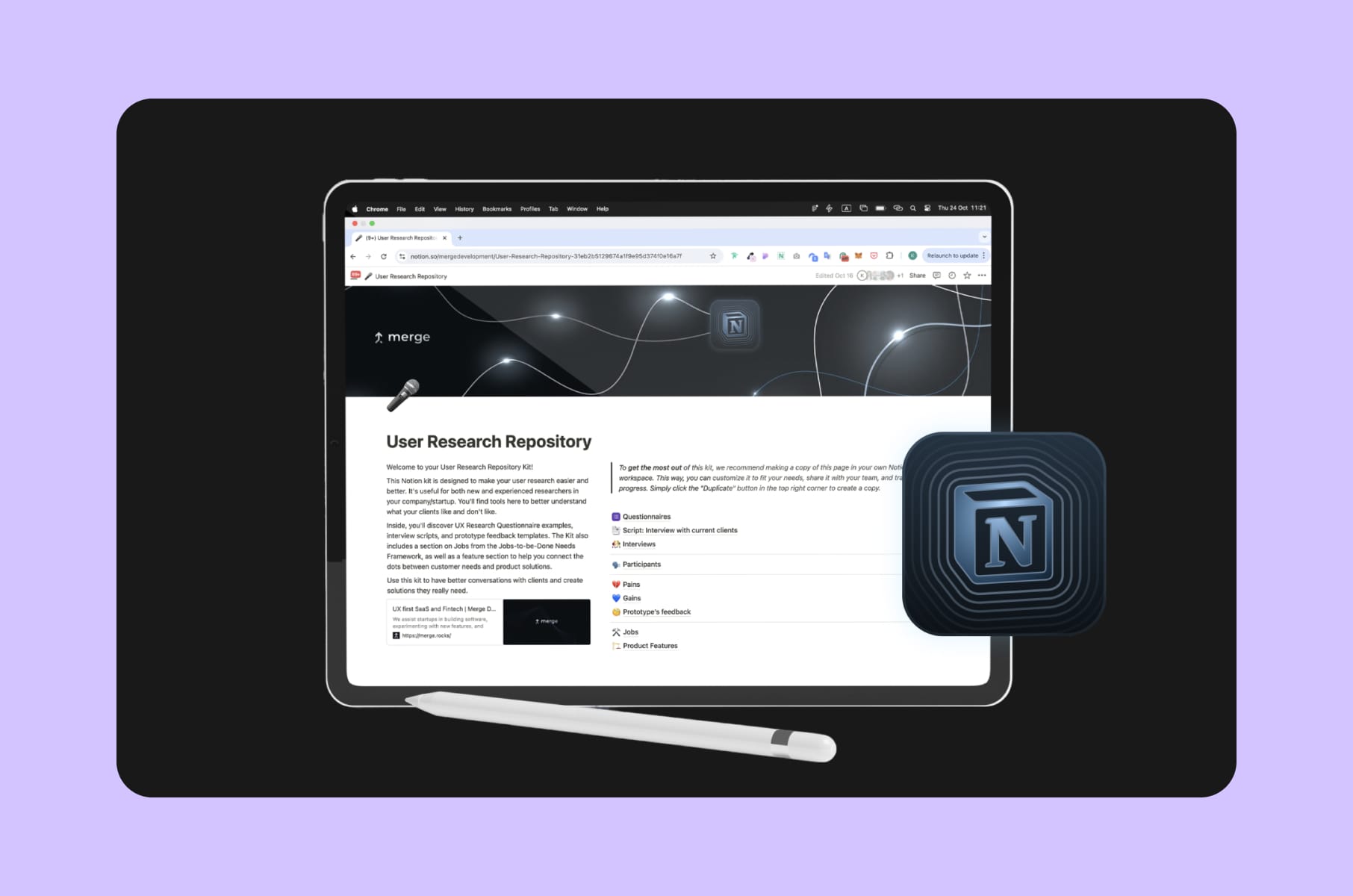
- We've also published a free User Research Repository Notion kit - scripts, screening templates, jobs-to-be-done frameworks - if you'd rather DIY the first round.
Types of user research and what each is actually good for
Most articles on this topic list a method and stop there. The real question is when each is worth running, what you get back, and what it costs to run. Here's how we think about it at Merge.
Generative vs evaluative
The first split we draw with every client.
Generative research is for when you don't yet know what to build - interviews, contextual inquiry, diary studies.
The output is opportunity areas, personas, jobs-to-be-done statements.
Evaluative research is for when you already have something to test - usability sessions, A/B tests, surveys.
The output is a ranked list of problems and (ideally) a conversion lift.
Skipping generative and only doing evaluative is the most common failure mode we see. You may end up testing the wrong product.
Qualitative vs quantitative
Qualitative tells you why - small samples, deep insights, hard to scale.
Quantitative tells you how much - large samples, statistically defensible, harder to find the why behind the numbers.
NN/G has been arguing for years that you really want both, and they're right:
- Qualitative without quantitative gives you anecdotes.
- Quantitative without qualitative gives you a dashboard nobody knows how to act on.
Attitudinal vs behavioral
Attitudinal - what people say.
Behavioral - what people do.
One meta-comparison found revealed-preference models explained 49% of the variance in actual sales, while the best stated-preference models only managed 32%.
Basically, believe what users do, not what they tell you they would do.
The methods we lean on most
Some user research examples we run for almost every client, with a rough sense of when each fits:
- User interviews. (Generative, qualitative). 30 to 60 minutes per session. Best for early problem-framing. The backbone of user research and testing for early-stage products.
- Usability testing. (Evaluative). Moderated (deeper, more expensive) or unmoderated (faster, cheaper). Best for pre-launch validation of a flow or feature.
- Surveys. (Quantitative). Pollpe data shows 53% of consumers find repeated NPS requests irritating, and roughly 68% close survey pop-ups out of habit. Use them to size a problem, not to uncover one.
- Diary studies. Users log their experience over one to four weeks. Heavy on analysis time but unbeatable for understanding workflows that span days, not minutes.
- Card sorting and tree testing. Quick and cheap. Card sorting tells you how users group things. Tree testing tells you whether your navigation actually works.
- Contextual inquiry. Watching people use the product in their natural environment. Expensive but absurdly informative - especially for B2B tools where the user is on a phone call while filling in a form.
- Heatmaps and session recordings. (Behavioral). Cheap to run with tools like Hotjar or PostHog. Best for diagnosing a known issue, not finding new ones.
- A/B tests. You need real traffic and a clean hypothesis. Usually, the final word after qualitative research suggests the change.
- Jobs-to-be-Done interviews. A specific framework popularised by Clay Christensen and formalized by Tony Ulwick. 10 to 15 interviews are usually enough to map the "jobs" your product is hired for.
We've used pretty much all of these on different projects. Which ones we recommend depends on the stage and the question, which is why our UX research services page lists deliverables rather than methods.
Outputs matter more than the technique you used to get there.
Pitfalls we see on almost every project
After 8 years, all the failures we see are quite predictable. Here are the ones we encounter the most.
Leading questions
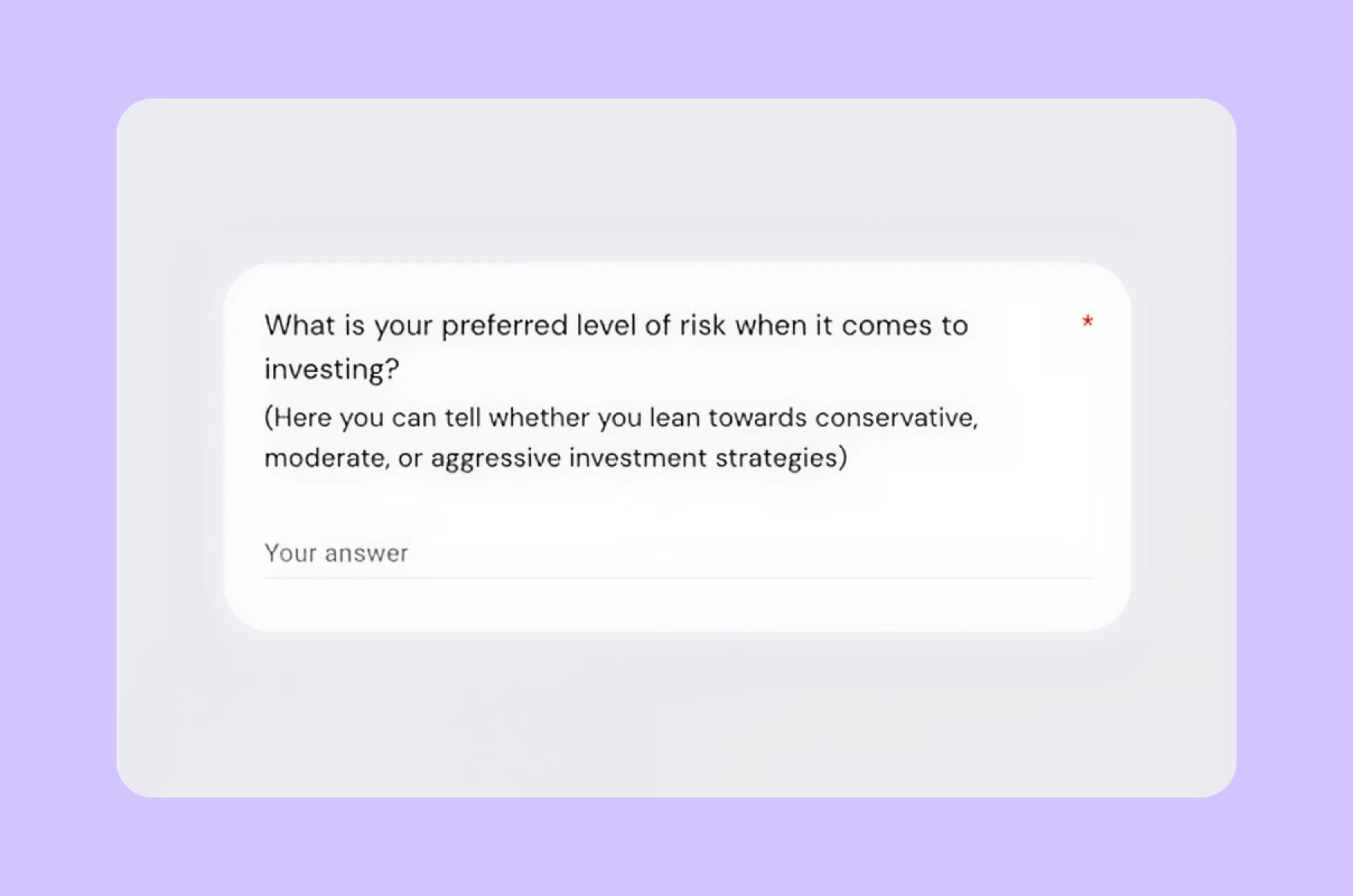
If you ask, "Wouldn't it be great if the app did X?" - everyone says yes, and you've learned nothing. The fix is in Rob Fitzpatrick's "The Mom Test" - talk about their life, not your idea:
- Ask about specific things they did in the past.
- Look for facts and commitments, not compliments.
Recruiting the wrong people
We often see teams recruit from their existing customer list, which only tells you about people who have already bought, and misses the segment that hasn't. Or they recruit on broad demographics ("women 25-44") instead of relevant behavior ("uses three competing tools weekly"). Behavioral screening is much better than demographic screening.
One interesting fix for panel-based recruiting: add plausible-sounding fake options into your screener - could be a tool that doesn't exist, a job title that doesn't match the profile, etc., and they will catch inattentive or dishonest respondents. If someone claims to use a product that was never launched, they're probably not who they say they are.
Confirmation bias
A team has a hunch, writes a study to validate it, finds what they wanted to find, and ships it. NN/G mentioned a nice example of a team that thought the checkout button was broken, ran a study that confirmed it, and missed the bigger problems users were actually having.
Test to disprove, not to prove.
Treating one round as definitive
The "five users will catch 85% of issues" rule from Nielsen is widely cited and widely misunderstood. The 85% is an average. The actual range across random samples of five is 55% to 99%. If you have multiple user segments or your product is mature, plan for 10 to 20 sessions, not 5.
Skipping behavioral data
We've had clients show us 50-page survey reports and zero session recordings. The reverse is also a problem. The richest insights tend to live in the gap between what someone says and what they actually do. Use both.
Doing it once and never again
User research is not a phase. It's a habit. It’s better to run small, recurring research sprints rather than a single, large "discovery quarter" that quickly becomes outdated.
How we run user research at Merge
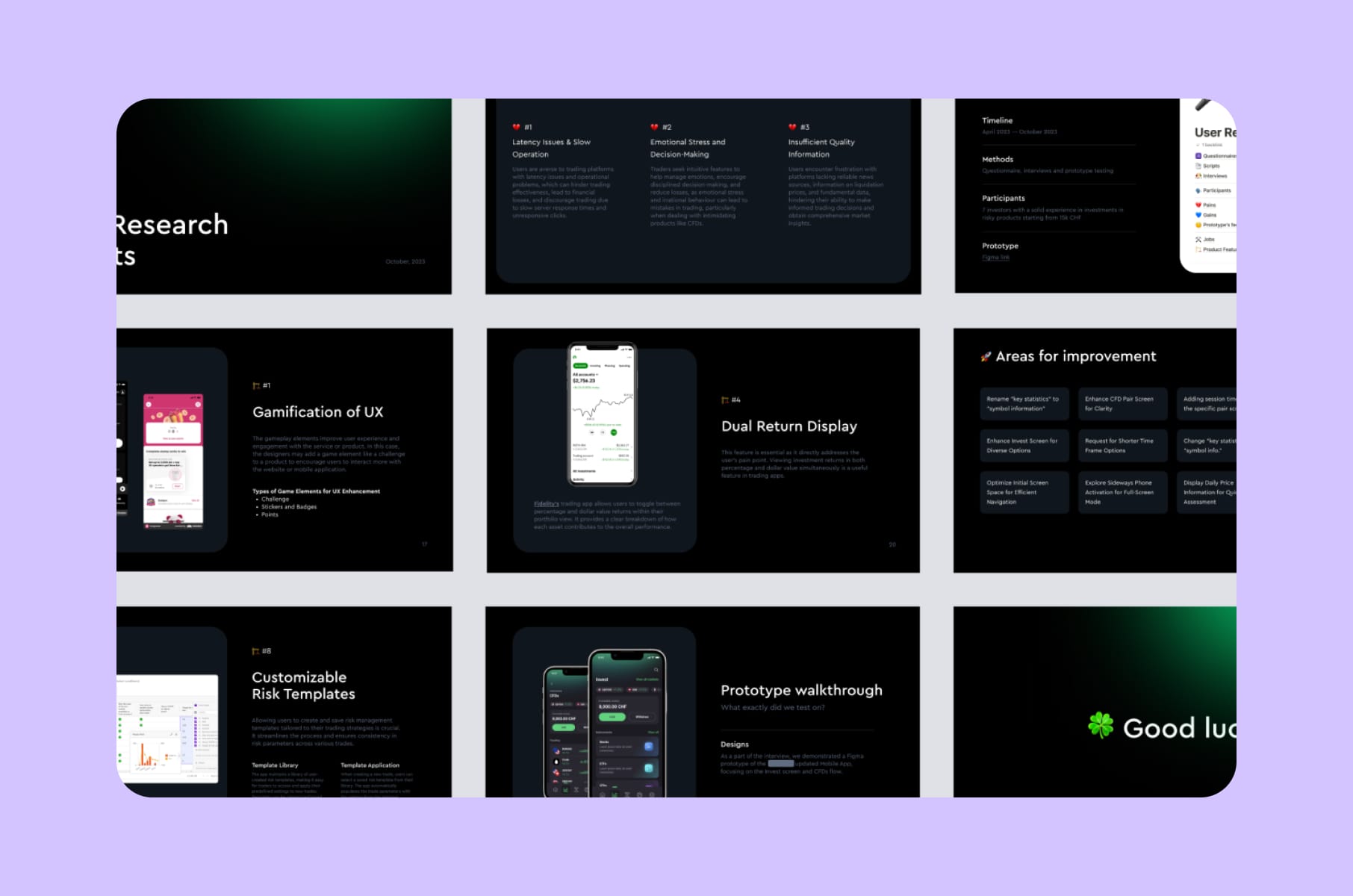
So how do we actually run this? Our user research process has changed a lot over the past 8 years, but the core is now pretty stable. We split each engagement into four steps and adapt the depth to the stage of the product.
1. Preparation
Before any session happens, we define the research goal in one sentence. The moment it needs two sentences, we know we're trying to do too much in one study. Then we write the screener, the discussion guide, and the hypotheses we're trying to disprove. The same team that scopes the work writes the discussion guide. We've found that handing it off creates blind spots.
This is also where we separate the customer vs user:
- Customer - who buys.
- User - who uses the product day-to-day.
Define your customer & user profiles.
— Paul Tseluyko (@paultseluyko) November 8, 2024
Customer - who buys. Decision-maker or a company.
User - who uses the product day-to-day.
Must-haves are:
- Company size (for B2B). User's job-title.
- Goals & Needs
- Pain points (as many as possible)
+ you can include demographics… pic.twitter.com/NGSMRPaQFh
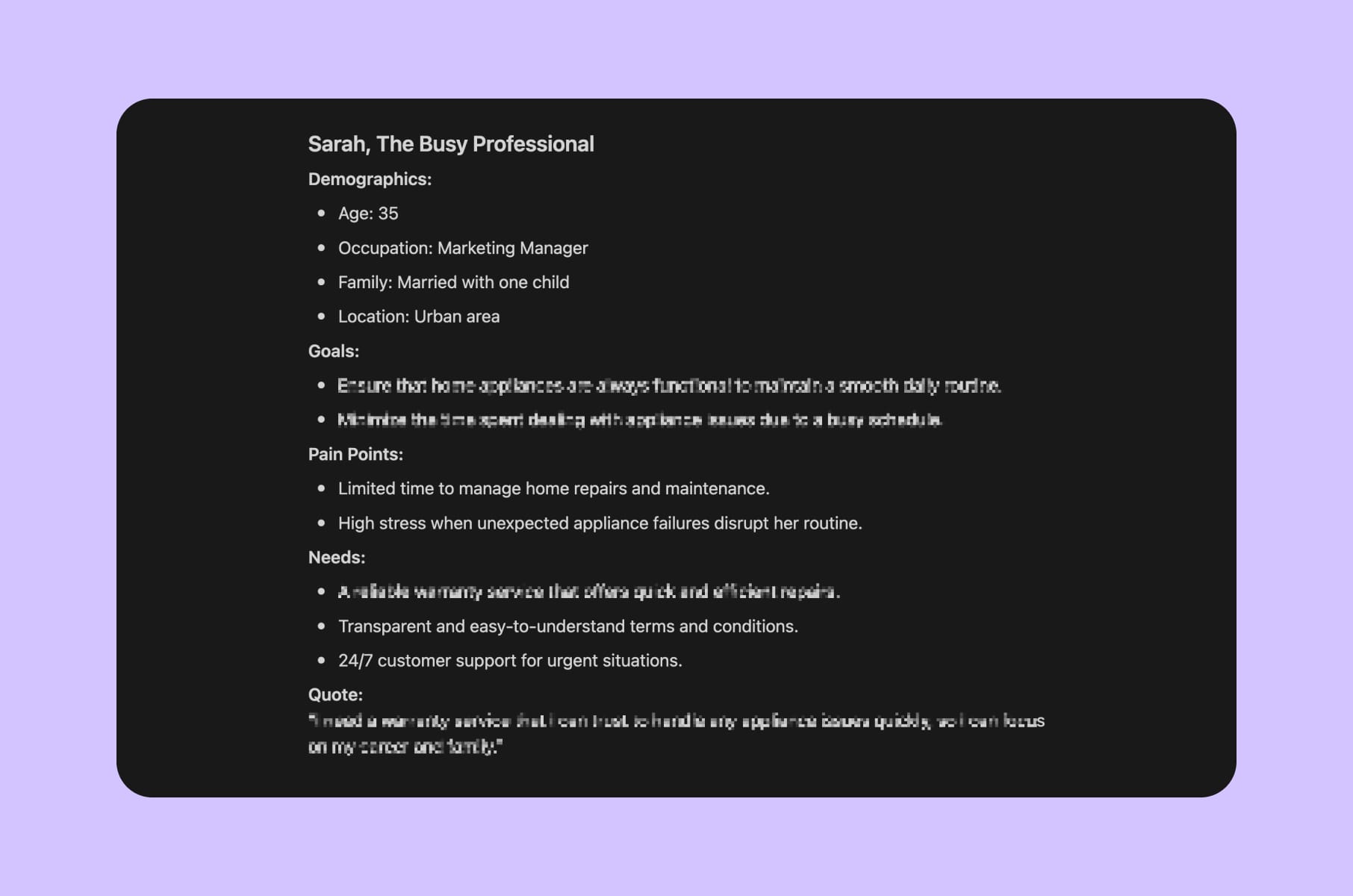
For each profile, we write down a small set of must-haves before the screener even goes out:
- Company size (for B2B) and the user's job title.
- Goals and needs.
- Pain points - as many as we can list, even speculative ones.
- Demographics and a representative quote, if it helps the team build empathy.
These get rewritten after the interviews, because before that, they're really just our predictions.
2. Audience and recruiting
We mix three sources, depending on the niche.
- The existing customer base, when one exists.
- External recruiting platforms like User Interviews, Respondent, and Maze.
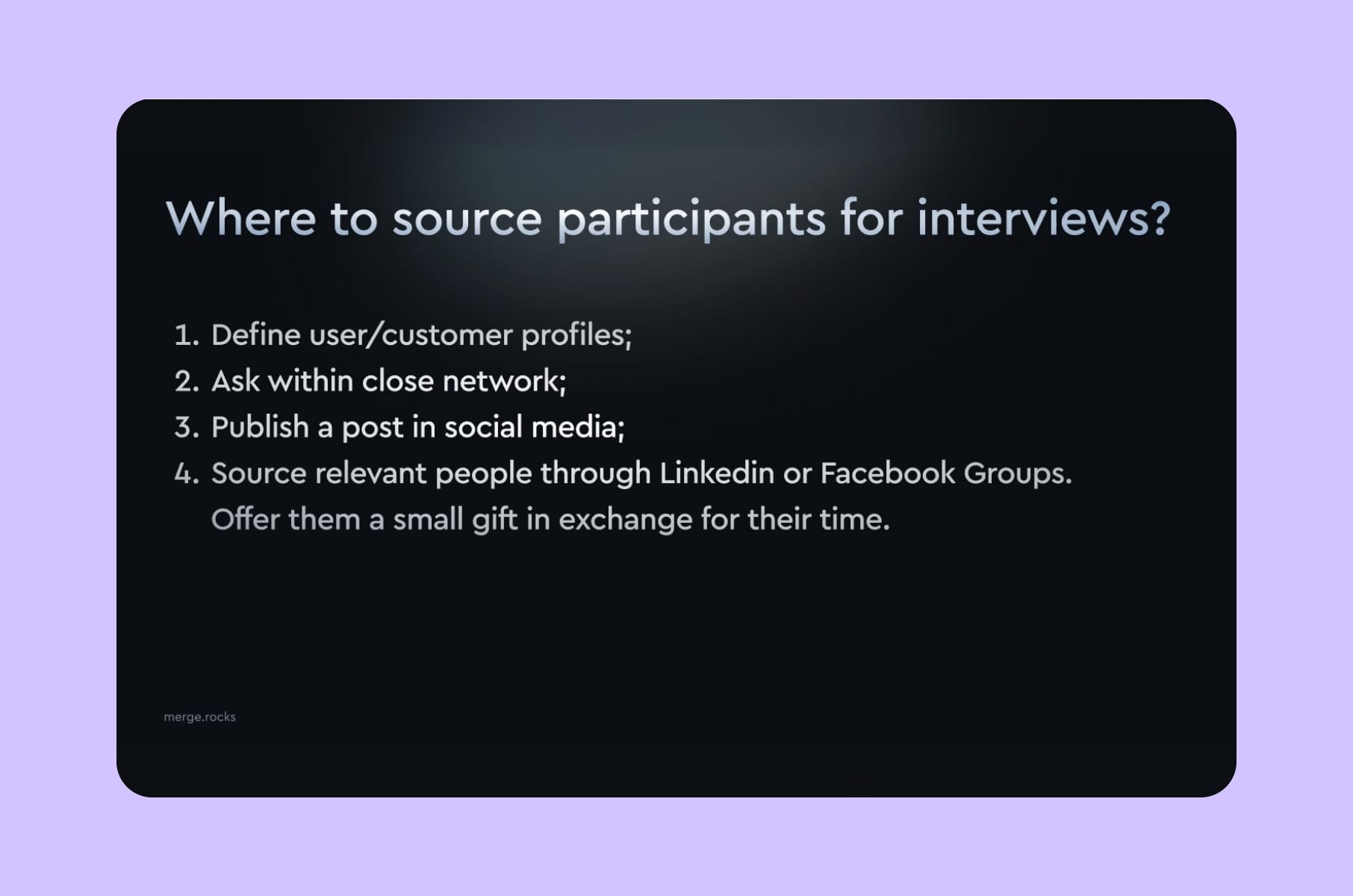
- Manual sourcing on LinkedIn and Facebook groups (good for early-product teams on a budget).
For a niche B2B audience, manual sourcing is, so far, the best option. We've recruited surgeons, security analysts, and crypto traders through a mix of LinkedIn outreach and warm introductions. Yes, it can be difficult, but there is no clever software substitute for it yet.
3. Interviews
A 30-minute interview, run properly, gives you 10 to 20 real insights. We've come to believe that the best interview is one where we talk for maybe 20% of the time and the user for 80%.
Mostly, we observe.
Sometimes we ask follow-up questions.
We avoid sharing the screen for the first 10 minutes because we want to hear their workflow before we contaminate it with our UI.
A pretty practical interview structure would contain about:
20 minutes for context questions
- Qualifying respondents (company size, team size, current toolkit, how they solve the problem today).
- Observing work patterns
- Asking things like "what do you not like about your current solution?" or "what manual work takes a lot of time at the moment?"
The last 10 minutes for user testing
- Hand users a demo.
- Throw them a use case from their own work.
- Watch them navigate without guiding.
The friction will be noticed quickly.
4. Data analysis and the plan
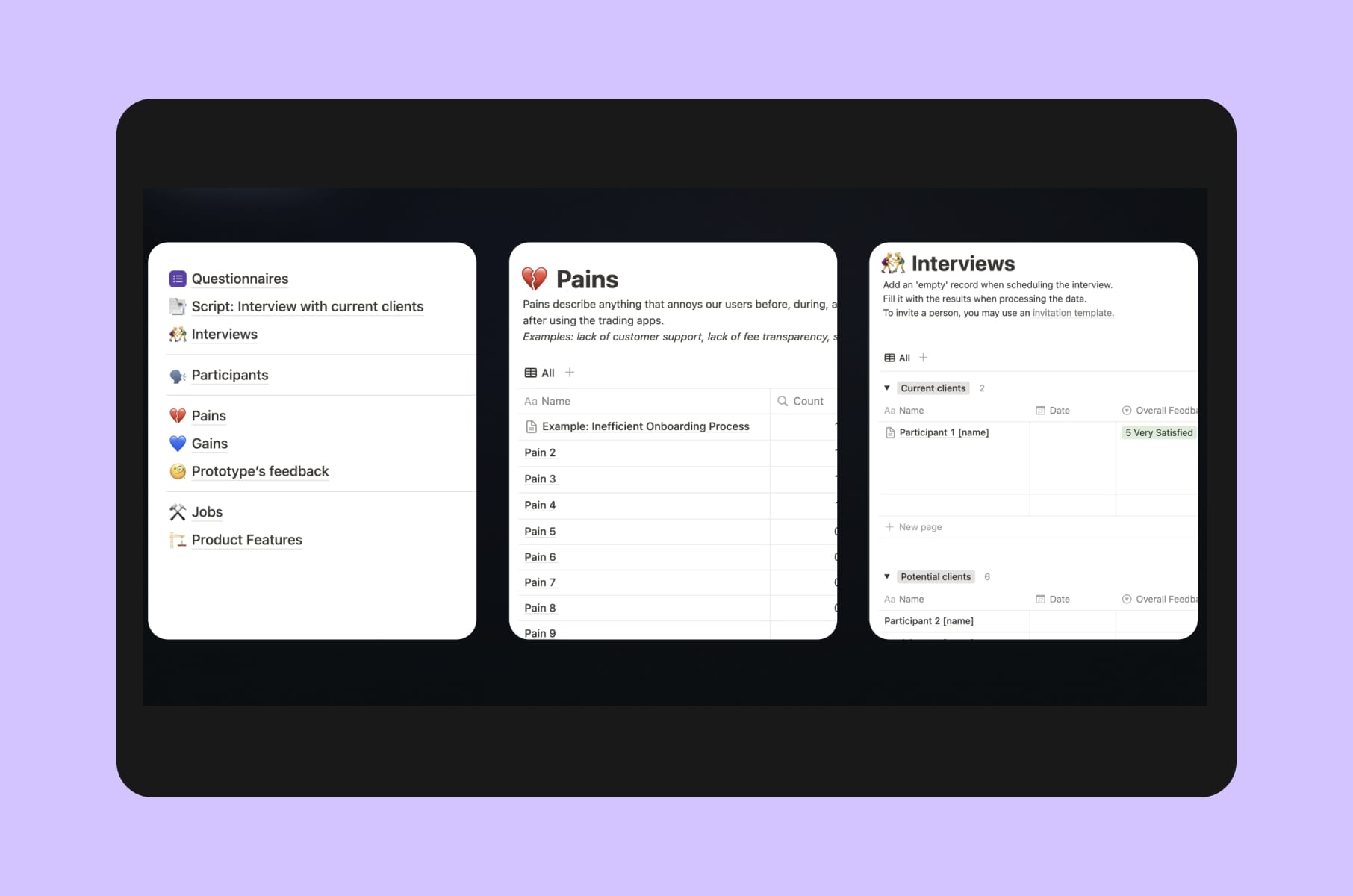
We summarise each session in Notion (quotes, observations, jobs-to-be-done framings), then run a thematic synthesis across all sessions.
For the user-testing part of the session, we do a detailed breakdown with timecodes and highlights, so the team can jump straight to the moments that matter without rewatching the full recording.
The deliverable is an analytical report, an insights repository, and a prioritized backlog that the product team can actually use in the next sprint. We also keep a separate "raw insights" list, because the obvious ones show themselves straight away, and the subtle ones only appear once you compare patterns across people.
If you want to run the same structure yourself, our User Research Repository Notion kit is the exact template we use internally. Free, full kit, with scripts and JTBD frameworks.
Niche user research hacks
The kind you only learn by doing this for 8 years.
Pay your participants properly
The biggest hack we know is the least clever one. Doubling an incentive improves show rates, honesty, and the depth of answers we get back. For executives, exclusive access to the final report works better than cash.
Record the work
For any product where the user is doing real work (CRMs, dev tools, design tools, trading apps), the gold is in the screen recording. Watch what they do. The interview itself is a backup explanation.
Use Reddit and X for zero-recruit research
Before you book your first session, search r/UXResearch, r/startups, and adjacent subreddits for users complaining about your competitors. Free, real-time, and the language people use is the language you'll later put in your marketing copy.
We do this on every brand or website design service project.
Two people per session
A Mom Test rule. One lead, one notetaker. The lead can stay present in the conversation. The notetaker catches everything. The session is much better than two people splitting their attention.
Keep an insights repository
We learned this one the hard way. If you don't write findings into a permanent, searchable place, you'll redo the same study every year. Our default is a Notion repository that grows project over project. The free User Research Repository Notion template is exactly the structure we use ourselves.
Don't outsource the listening
You can outsource the recruiting. You can outsource the analysis. You really shouldn't outsource the listening itself - especially as a founder. Even on engagements where Merge runs the whole study, we ask the founder to sit silently in at least three sessions. It changes their perspective every time.
A few user research examples from our work
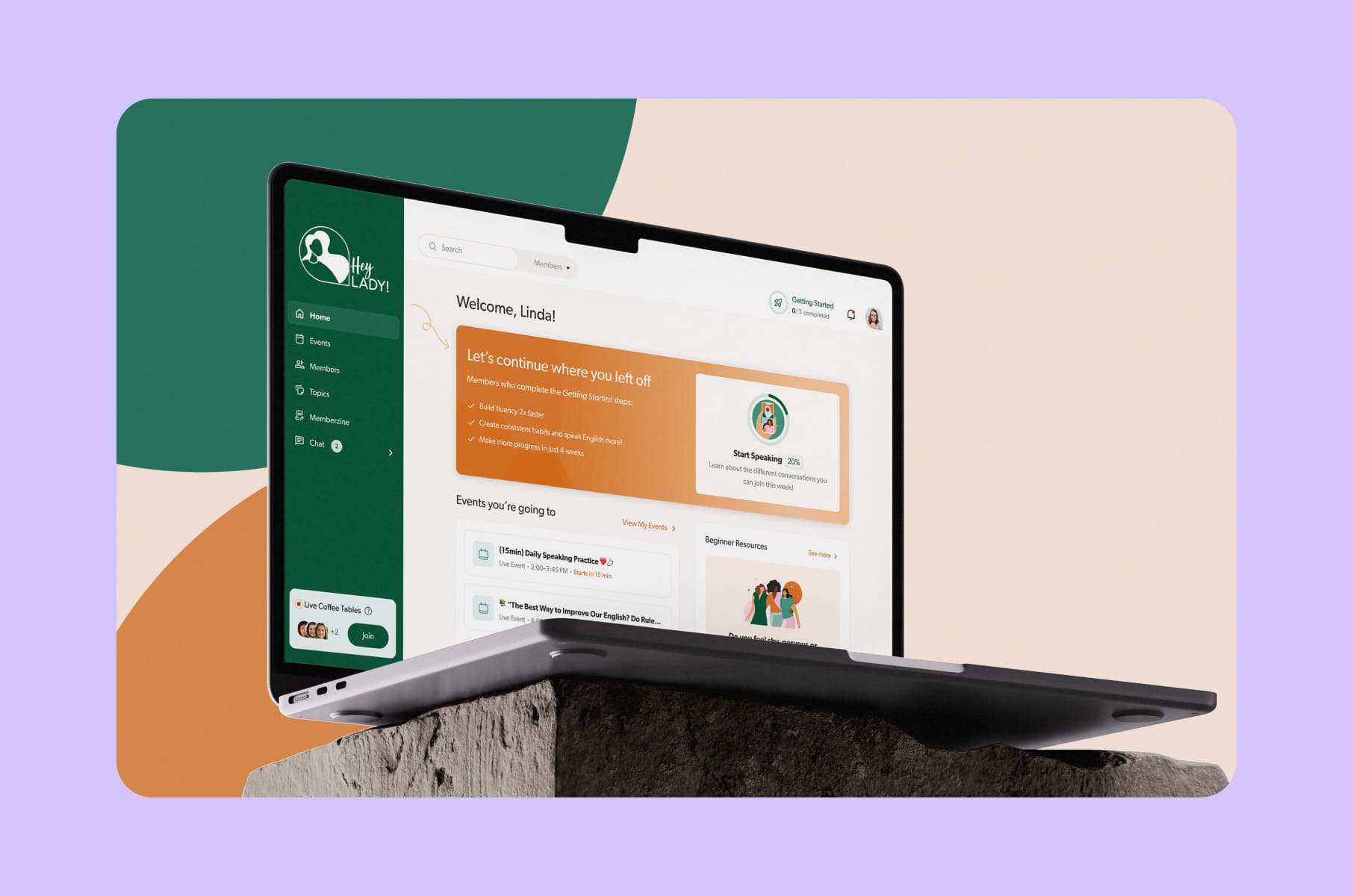
A short tour of projects where user research influenced the result:
- HeyLady. We interviewed Community Success staff, Coaches, and members to shape jobs-to-be-done around "find someone to talk to now," "prepare for a work opportunity," and "build confidence." The flows were mapped directly to those jobs.
- Trading platform. 6 in-depth interviews, 4 survey responses, 450 hours of work, 20 prioritized feature ideas. A textbook user research and testing engagement that delivered gamification recommendations the team shipped over the next two quarters.
- Capable. Five-plus iteration cycles based on Prompt Builder usage interviews, plus continuous testing against a small but engaged cohort.
- Invisibly. Segment-by-segment B2C and B2B research that fed a multi-audience design system.
- WeFight. Stakeholder interviews and member-segment research that drove the design of a diagnostic quiz used by oncology patients.
You can browse the rest in our product design case studies.

Wrap-up
What we know is that the truth about user research isn't glamorous. It's mostly recruiting work, careful question design, and the discipline to not fall in love with your own hypothesis. Done well, “why UX research is important” stops being a debate and becomes the cheapest insurance you'll buy. Done poorly, it confirms whatever the team already wanted to ship - which is, as the Microsoft Design folks said, worse than nothing.
If you're at a stage where intuition isn't enough for scaling and the next decision is too expensive to get wrong, this is the point to bring in structured research.
Our team at Merge can:
- Run it for you all the way through our user research services,
- Bundle it into a full UI/UX design services engagement,
- Or simply hand you the User Research Repository Notion kit and let your team take it from there.
Whatever you decide, Merge can help you with it!
Frequently asked questions
What is user research?
It's the systematic process of figuring out who your users are, what they need, and how they actually behave with your product, then using those findings to inform design and product decisions.
What is user research in UX?
What is user research in UX has roughly the same answer with a tighter scope. It's the part of UX where you talk to or observe real users to understand how they experience your product. Other UX work (design systems, accessibility, IA) feeds off the findings from this.
Why is UX research important for early-stage products?
Because the cost of building the wrong thing is huge compared to the cost of asking ten people first.
What's the difference between user research and user research testing?
User research is the broader practice (interviews, surveys, observation). User research testing is the validation half - putting a design in front of users to see if it actually works.
How many users do I need to test with?
Five is a fine minimum for cheap qualitative sweeps in a single segment. If your product has multiple user types or the stakes are high, plan for 10 to 20. Re-test after every major design change.
How much does user research cost?
A full agency-led usability study runs roughly $22,000 to $30,000 per round. Lean rapid sprints can be a fraction of that. DIY with our free Notion kit costs you mostly time and a few hundred dollars in participant incentives.
When should I do user research?
Early - before you have a product, to validate the problem. Mid-build - to validate the prototype. Post-launch - to monitor retention, find new opportunities, and feed the next sprint. If you're building anything you can't easily change later, do it now. If you're tweaking a button color, you probably don't need a focus group.
Stay tuned for more on UX research, product strategy, and what we've learned running a product design agency for the last 8 years!


