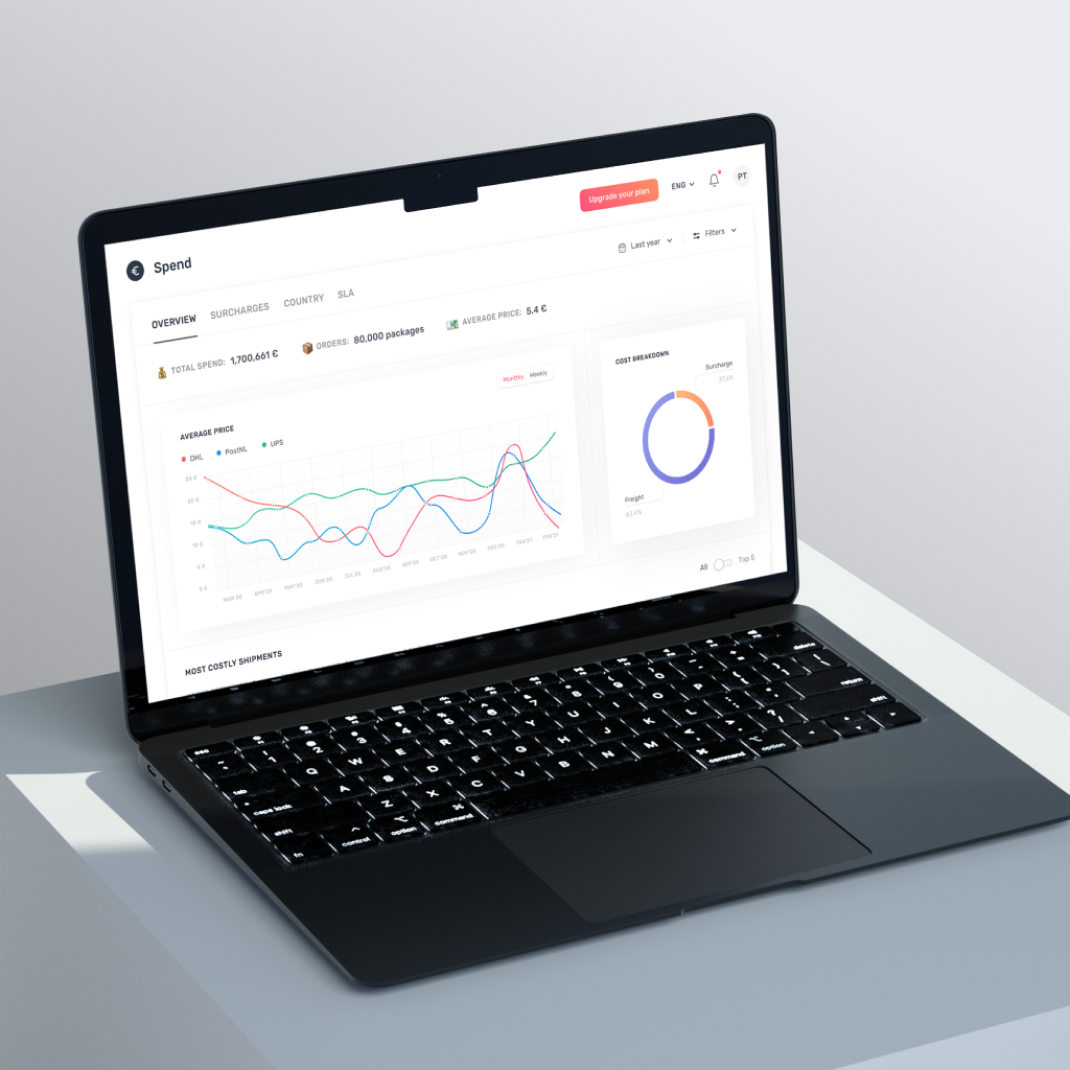
SaaS design agency for what happens after signup

Make your SaaS easier to use without losing its power

Your SaaS has to make sense to people who didn’t build it. We design around what customers come to do without burying the capabilities that make your product valuable. When you need development too, our engineers build the experience our designers shaped.

Raised by SaaS teams we’ve helped
$390M+
Clients choose us for what’s next
80%
How SaaS teams rate us on Clutch
4.9/5

Knowing what to do next shouldn’t be the hard part
Knowing what to do next shouldn’t be the hard part

You know what your SaaS should do, but the way someone will use it is still unclear. Those gaps can mean reworking features already in development. We map how people will complete the core task so you can work through the difficult choices before the build.

People keep switching screens or finding workarounds to finish a task, so routine work takes longer than it should. We remove unnecessary steps and put the information for each decision where people need it, keeping the controls experienced users rely on.

New users can finish signup and still have no idea what to do next. Extra setup puts more distance between them and their first useful result. We reshape the first steps around that result and move optional setup to the point where people need it.

Your SaaS has moved on, but the site still tells the old story. Visitors can overlook a product that would actually help them. We use examples from the product to show what people can accomplish, whether we’re updating both or just the website.

SaaS design services with development when you need it

We design your product’s screens and interactions, including what people see when there’s no data yet or an action fails. Reusable UI components help new features feel like part of the same product. Our engineers can build the front end or full application and connect its APIs. For the website, we map the pages and design for desktop and mobile.
SaaS product design

SaaS product design

Application development

Application development

UI kits and design systems

UI kits and design systems

SaaS website design

SaaS website design

See what we’ve built and redesigned for SaaS teams

We built Agentless’s home-buying platform and redesigned the parts of Capable and TelQ that users found hard to use. Find the case closest to your product challenge and see what we delivered.
Agentless

Agentless

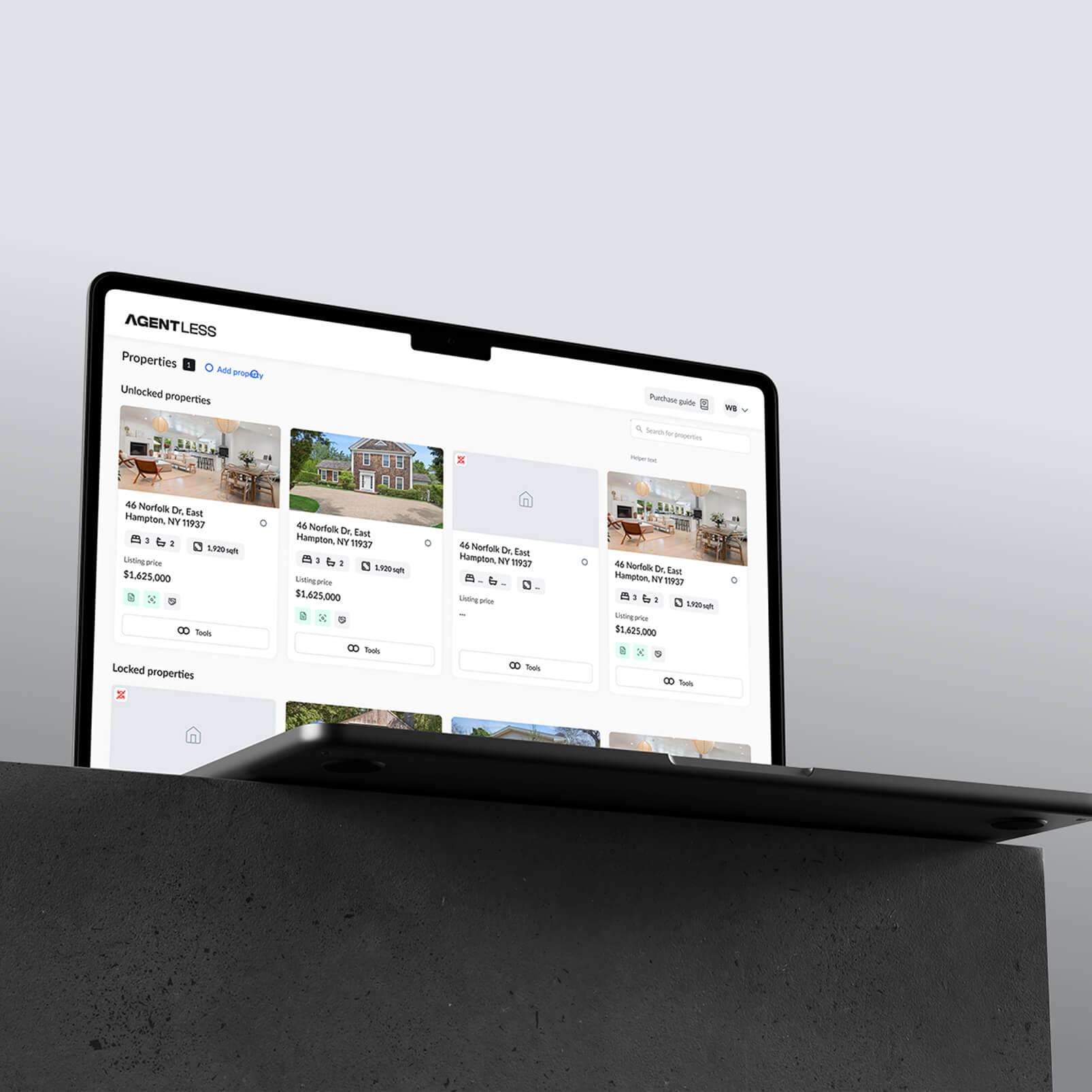
Agentless is a real estate SaaS platform for U.S. homebuyers who want to purchase without a buyer’s agent. It gives them one online place to work with property details, prepare offers and agreements, and review inspection reports as the purchase progresses.

Product challenge

Before committing to the build, we had to establish how the platform would obtain property data and account for purchase-document requirements that vary by state. The buyer journey also needed to remain understandable without an agent.

Our contribution

We investigated technical feasibility, mapped the buyer journey in wireframes, designed the UI, and built the front end and backend. We integrated AI to organise property information and summarise inspection reports.

Delivered

We delivered a live web platform with purchase-document flows that account for the buyer’s state and AI-assisted inspection summaries. We also created the Agentless brand and a separate Webflow site with a savings calculator.

View case
Capable

Capable

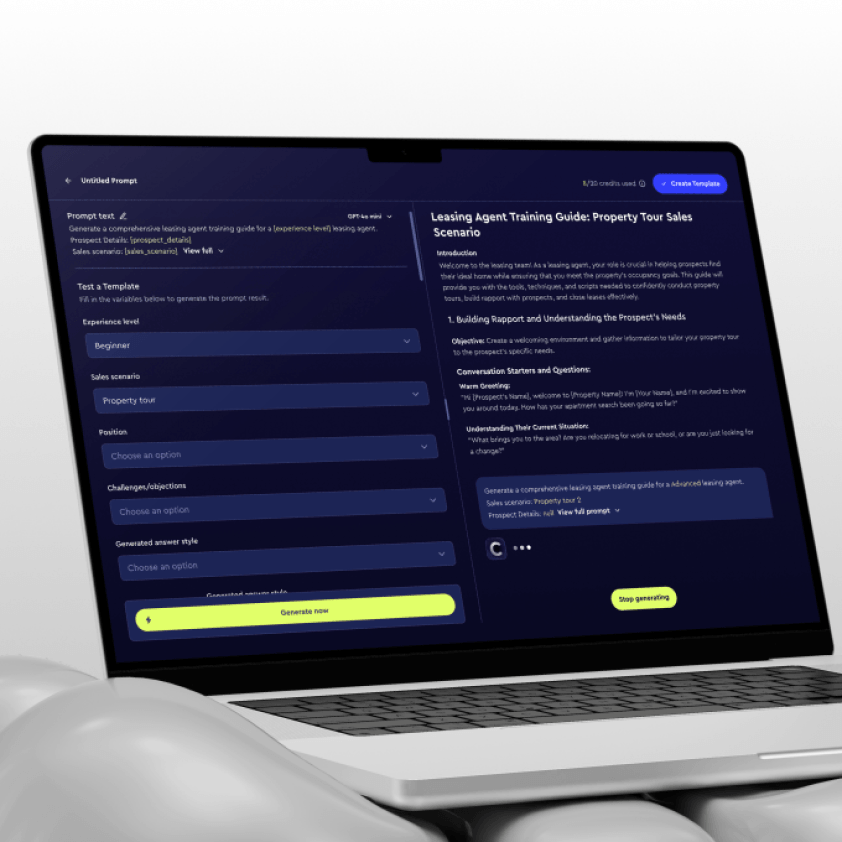
Capable began as Promtify, a B2B AI SaaS product we built in-house to turn prompts into reusable tools for teams. After the first release, we revisited its central workflow and team capabilities. The work covered the running application, its subscription experience and the move to the Capable brand.

Product challenge

The early builder made dynamic templates and variable setup difficult to understand. Paid features were not clearly visible to free users, while the product lacked the organization management and prompt sharing needed for B2B use.

Our contribution

We interviewed users about how they built prompts, then redesigned the builder so they could insert variables by typing {{ or using quick actions. We added guidance at the point of setup, made pre-built templates accessible from the builder and brought paid features into view.

Delivered

The Capable release combined the revised prompt builder with subscriptions, organization management, prompt sharing, and a new name, logo and brand direction. Its implementation used Next.js, Supabase and Vercel.

View case
Edgeport

Edgeport

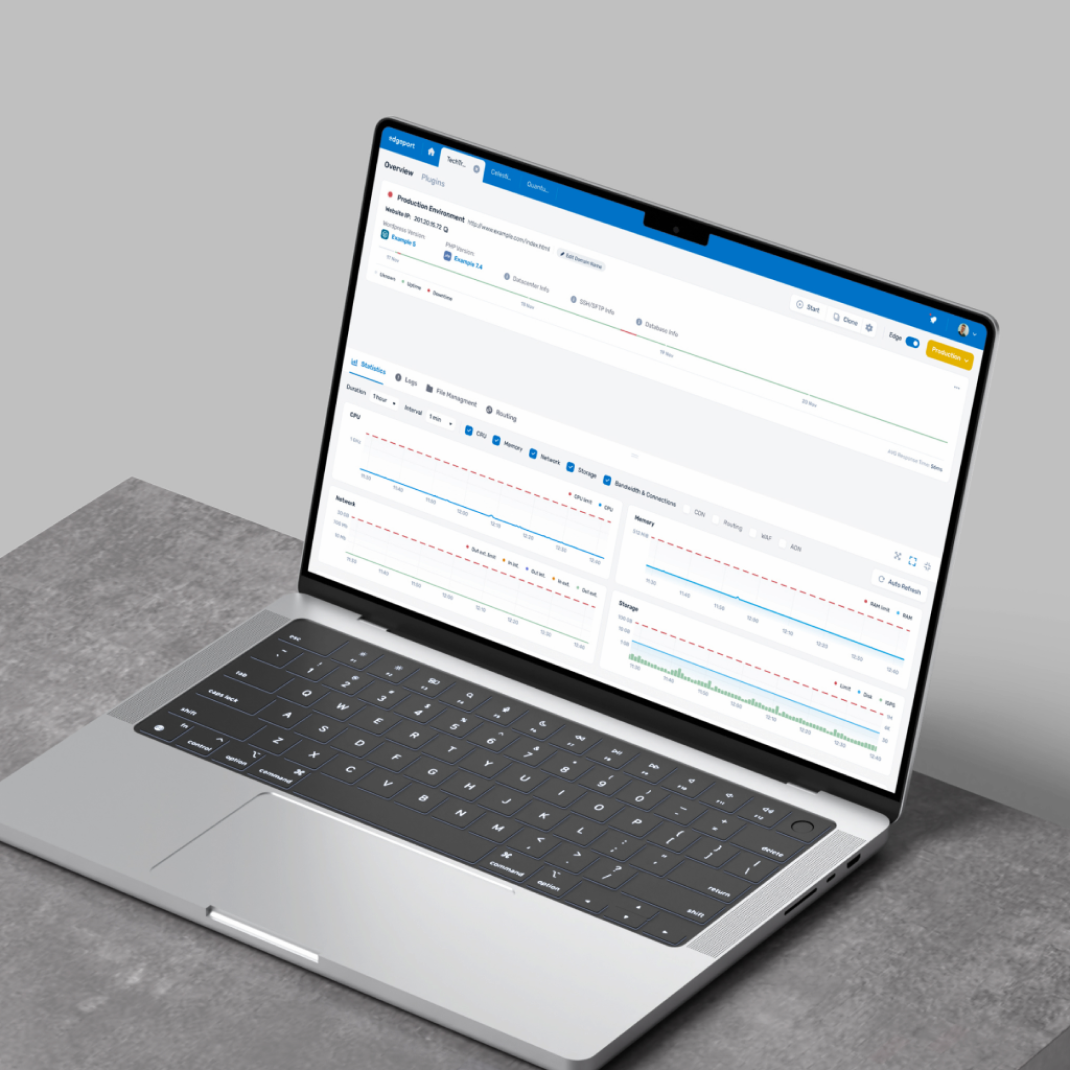
Edgeport is a B2B SaaS platform for managing cloud infrastructure. Its hosting-management product serves administrators and end users through an interface built around detailed operational settings.

Product challenge

The brief was to make intricate settings easier to navigate while establishing a consistent visual language across the product.

Our contribution

We began with Product UX Discovery to understand user needs and expectations, then developed the visual concept and UI/UX. We also implemented the product front end with React, Redux, and Sass.

Delivered

A front-end implementation with consistent typography, color, rounded edges, and iconography across Edgeport’s dashboards and configuration tools.

View case
TelQ

TelQ

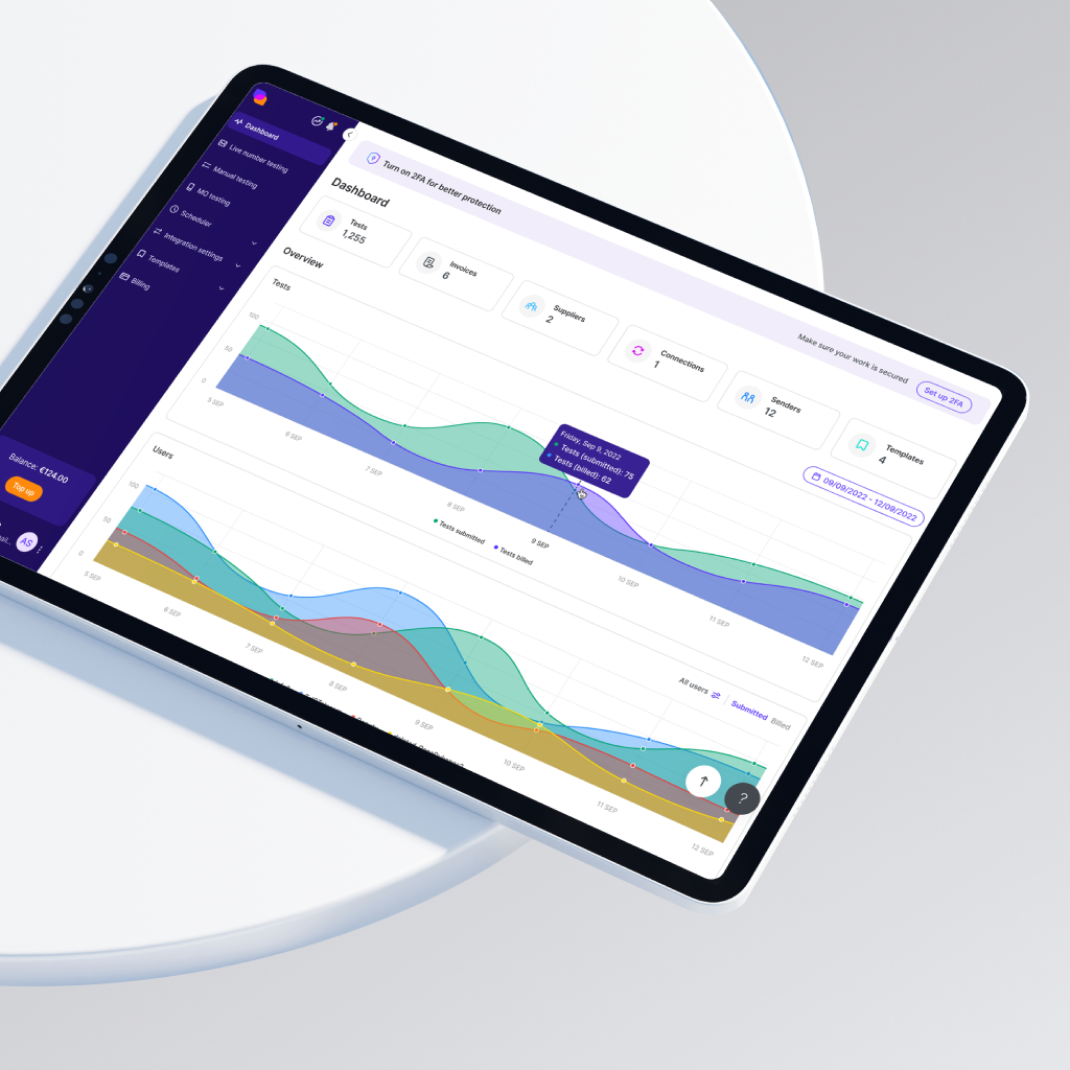
TelQ is an SMS-testing SaaS. Teams choose a route, create a test message, then review its delivery status, received content and Sender ID.

Product challenge

The platform worked, but user feedback identified two points of friction: creating test messages and navigating data tables with multiple filters.

Our contribution

We audited the existing UX and compared competing products, then developed a new visual concept to guide the redesign.

Delivered

The resulting design covered a reworked test-creation menu, its actions and settings, streamlined data tables, and an Admin interface. In a verified Clutch review, TelQ’s CEO called the redesigned UI “a major step forward for our product.”

View case
Clockwork

Clockwork

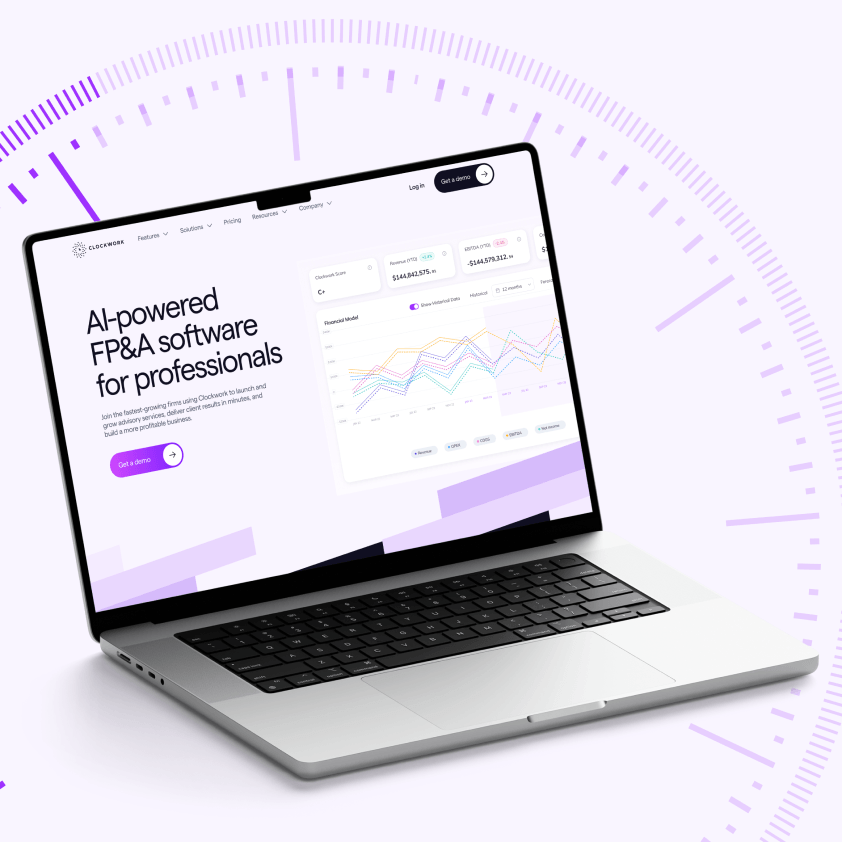
Clockwork is an FP&A SaaS platform that builds financial projections and insights from accounting data. The company first asked us to improve its web app; a separate website request followed later.

Product challenge

In the app, important features were hard to discover, and the interface was difficult to use. It needed to serve both finance specialists and people without a finance background.

Our contribution

We discussed priorities with stakeholders, audited the app and revised its user flows. For the later website request, we updated the information architecture, developed a homepage concept and designed a component library.

Delivered

The approved app designs went to the development team; we built the website in Webflow. In a verified Clutch review, CEO Fady Hawatmeh praised our ability to “translate complex financial concepts into an intuitive user experience.”

View case
HeyLady

HeyLady

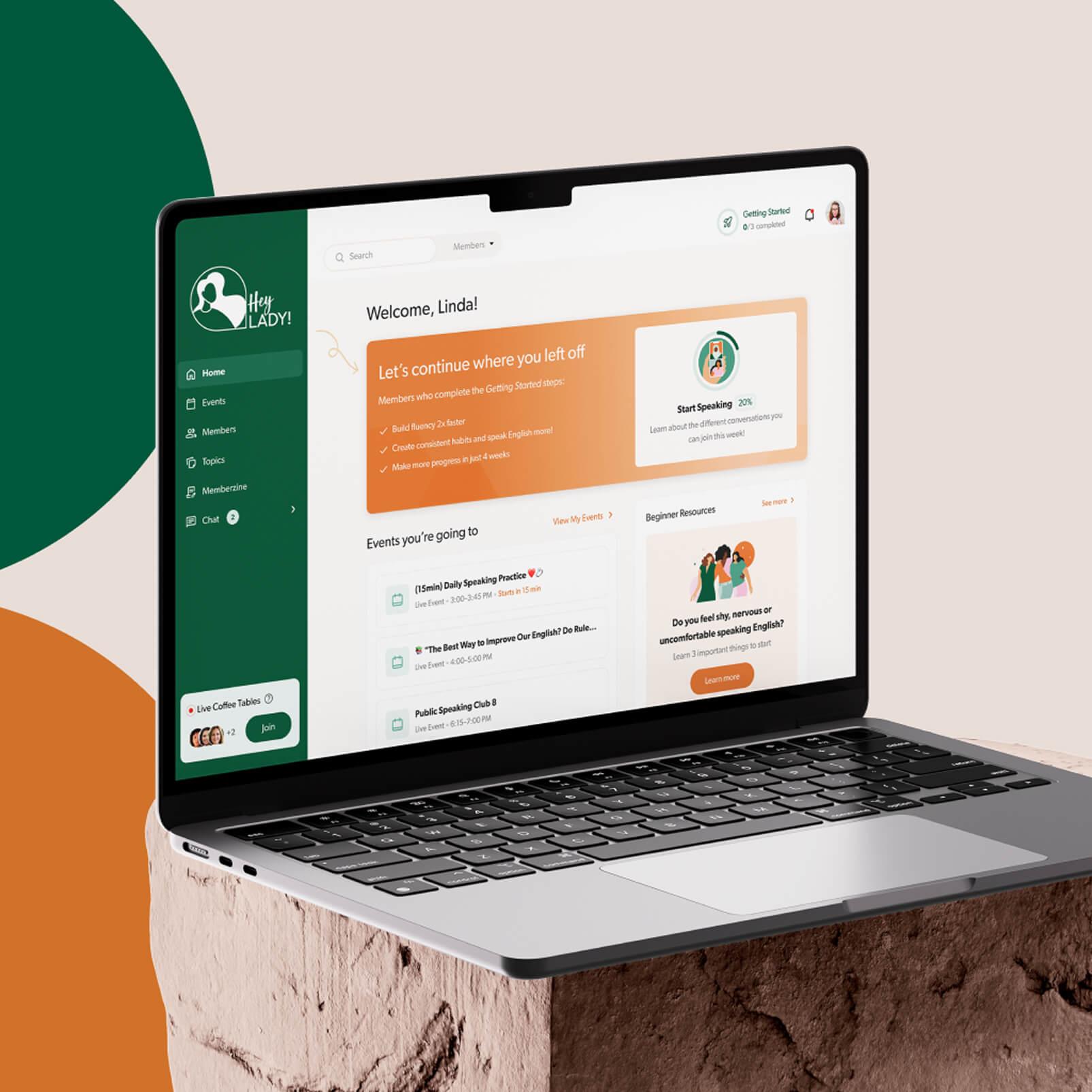
HeyLady is a women-only membership platform where members practise spoken English in live video conversations. They can join scheduled Events led by coaches or other members, or drop into Live Coffee Tables for spontaneous practice.

Product challenge

HeyLady had grown without a dedicated product designer. The team needed to make Events easier to discover, extend chat beyond one-to-one messaging, and replace long onboarding tours with a clearer route into a first conversation.

Our contribution

We interviewed the founders, Community Success team, coaches and members, then mapped jobs-to-be-done around finding someone to speak with now, preparing for work and building confidence. We audited legacy Figma files and coordinated member and admin flows with HeyLady’s in-house developers.

Delivered

We designed onboarding paths to a scheduled Event or Live Coffee Table, clearer event filters, group chats and channels, and a speaking assessment. A reusable design system and reorganised Figma libraries gave HeyLady’s team shared components for continued product work.

View case
Lox

Lox

LOX is a B2B logistics SaaS that helps businesses detect delivery issues and manage claims across carriers. We worked on both its product interface and customer-facing website.

Product challenge

LOX needed to make invoice analysis and refund handling easier to follow inside the platform. Its website had a separate job: explain the service and let prospective customers explore pricing.

Our contribution

We researched user needs and redesigned the product’s UX/UI around invoice analysis and refunds. Separately, we designed and developed a landing page with a pricing calculator.

Delivered

LOX received product interface designs and a landing page with a pricing calculator. Its team implemented the designs. In a verified Clutch review, CEO Dylan Hirsch said clients were pleased with the finished work.

View case
1/7

What our clients say

“Natural, easy, and partnership. Those are the three words that come to mind. You guys have been an extension of our team. You blend your expertise of actual technical design with my brand design and vision.”

Fady Hawatmeh

CEO at Clockwork

"It almost felt like the Merge team was part of our team... very open, honest, real collaboration. Our metrics have improved for sure."

Sankari Nair

Co-Founder of Recall

“The Merge Development team is very good at what they do. It’s why we’ve continued to use their services even after a year. We plan to work with them for the rest of our business’s life.”

David Kemmerer

CEO & Co-Founder at CoinLedger

“You're really good at listening to what it is that we're looking for and then matching us with a really great designer.”

Shah Turner

Co-Founder of HeyLady!

“Overall, it’s been a great experience. The team’s been super responsive. The speed of implementing the designs in Figma and the speed of responding to our feedback and implementing changes were really good. Pleased with the amount that we got done.”

Winston Chenery

Senior Director of Marketing at Everyday Speech

1/5

Video testimonial from Fady Hawatmeh

SaaS design and development pricing

SaaS product design

Your users need a clear way through complex work.

Average monthly budget · USD

$7,200

Best for

You have developers and need the product design.

What you get

  • Screens for the agreed workflows
  • Required states and interactions
  • Editable Figma and UI components

SaaS development

We build around the code and systems you rely on.

Senior developer · USD/hour

$45–55

Best for

You have designs to build or code to improve.

What you get

  • Front-end or full-stack engineering
  • API integrations and data exchange
  • Reusable components in your stack

SaaS design + development

The team behind your design also takes on the build.

Indicative project budget · USD

$20,000

Best for

You need one team to handle both design and build.

What you get

  • Product screens and interface states
  • Front-end or full-stack engineering
  • Connected APIs and product data

Know what you’re paying for

Show us your product or designs. We’ll agree the scope, team and costs before work starts.

How your SaaS design moves into development

You see the key product decisions before they become a finished interface. We agree on the work, get your approval on the direction, then review the design as it expands.

1

Set the scope

Share your requirements, current product materials and known dependencies. Together we decide what this engagement covers, who reviews the work and what remains outside it. If your SaaS is already live, test access lets us see the experience your users have today.

2

Approve the direction

We work through the agreed interaction or page structure and develop a representative screen or page. You review the UX and visual direction before we expand the design, so your team can catch a wrong assumption before it shapes the rest of the interface.

3

Design in batches

We develop the agreed screens, states and components in reviewable batches. You give feedback at agreed checkpoints, and we carry the changes through related flows and components. You approve each batch before we call it complete.

4

Build or hand off

We can build the agreed front end or full application. If your team builds it, we deliver editable Figma files with approved screens, states, components, assets and interaction notes, then walk your developers through the technical handoff.

Why SaaS teams choose Merge Rocks

Senior people who think with you

Sometimes the right design decision is to question the request. Our senior designers and engineers help you weigh the alternatives and understand which one makes the task easier for your users.

A UI foundation that fits the job

A UI foundation needs upkeep as your product changes. We recommend a UI kit or design system that fits the team maintaining it, so you pay for structure you’ll actually use.

Engineering input as we design

When we build your SaaS, designers and engineers check what the data and APIs allow. We work through the trade-offs during design, helping you avoid interface changes once the build starts.

Technology for building your SaaS product

We build SaaS interfaces, backend services and mobile apps. An existing codebase gives us the technical starting point; for a new product, we choose technologies around its workflows, data and future maintenance.
React

React

Next.js

Next.js

Vue.js

Vue.js

Remix

Remix

Storybook

Storybook

Expo

Expo

Node.js

Node.js

Nest.js

Nest.js

Data, deployment and integrations

Changing user permissions can affect database rules and connected workflows, not just screens. We've used the tools below for data, deployment, source control, AI and automation. When development is in scope, we account for those dependencies in the build.
Supabase

Supabase

Strapi

Strapi

Netlify

Netlify

Gitlab

Gitlab

AWS Bedrock

AWS Bedrock

Zapier

Zapier

Questions to settle before your SaaS project starts

Start with the unanswered question, not a feature count. If you have not seen the intended users complete the core task, a working first release can test that before a broader build. If people already use the product and the problem is onboarding, permissions, or a dense workflow, scope that problem directly. See MVP development for the first-release route.

Follow one important task from entry to result. Use support requests, usage data, and customer conversations where available to find where people stall or take a workaround. Then check which roles, data states, and dependencies shape that task. A single workflow can be the first scope. If the underlying problem remains unclear, Product UX Discovery can help define what to investigate.

Yes. We look at what the current components and repository already support, then decide what to reuse, extend, or replace. If a pattern looks good in Figma but conflicts with product behaviour or technical constraints, that conflict needs resolving before the design is build-ready. A wholesale rebuild is a separate decision, not the default starting point.

We map each workflow against real permissions: who can see, change, approve, or recover something, and in which account or workspace. The interface needs to explain restricted and pending states as clearly as successful ones. Tenant isolation is an engineering and security concern; the UI alone cannot enforce it. Implementation and verification belong in an explicitly agreed technical scope.

A missing result can mean no data, delayed sync, expired access, or a failed action. Those states need different messages and recovery paths. We design what users see and can do in each case, then agree expected behaviour with the team that owns the API. Building the connection, owning its contract, and testing it are included only when explicitly scoped.

Yes, if the first useful action is clear. We examine which setup, data, and permissions are needed to reach it, then focus on the steps blocking new users. The result might be a tighter first-run flow rather than a tour of the entire interface. Our onboarding teardown shows concrete patterns in live products.

Choose a measure that matches the task before changing it: first completed action, fewer failed attempts, or repeat use. Compare it after release for the relevant users where analytics and access allow. If the task cannot be measured yet, decide who will add that instrumentation. A change in retention may have several causes; assess the behaviour this work set out to improve.

Plan around 8–12 weeks for SaaS product design and development. A SaaS marketing website typically takes 3–4 weeks. For a focused redesign, we estimate the affected workflow separately. We need to know who can approve an action and which system provides the data. Changing those decisions can mean reworking both the screens and the code. An integration another team is still building can hold up your launch even when the designs are ready.

For SaaS product design, our average monthly budget is $7,200. Our senior developer rate is $45–55 per hour. For design and development together, $20,000 is an indicative project budget. If your backend already does the job, we can build on it. Adding billing rules or connecting another system means more work behind the interface, even if the screen itself barely changes.

Before implementation starts, we agree who owns QA, release, and technical handoff. If your team takes over, the handoff can include the agreed code, design files, setup notes, and known issues. Post-launch checks and ongoing maintenance are separate scope decisions, so you know who handles the first change request rather than assuming indefinite support is included.
Go deeper on the decisions behind your SaaS

Not quite what you need? See what else we can do

Tell us what you’re building or fixing

By submitting this form you agree to our Privacy Policy.